Set who pays the transaction charge
Every online payment carries a processing fee. Decide once whether you absorb it or pass it to your customer at checkout — and override that default per gateway whenever you need to.
Online payments are quick and reliable, but every provider takes a small processing fee. Crate lets you decide who covers it: you can absorb the fee from your remittance, or pass it to the customer so it's added to their total at checkout.
You set this once as a global default, then override it for any individual gateway that needs a different rule.
Absorb vs. pass to customer
- I absorb the fee — the charge is deducted from the amount Crate remits to you. Your customer pays exactly the price they saw.
- Pass fee to customer — the charge is added on top at checkout, so your remittance is the full sale price.
The merchant (direct bank) account carries no processing fee, so nothing is added there regardless of your choice.
Per-gateway overrides
The global default only governs gateways that haven't been configured individually. Below it, each connected gateway — Paystack, Stripe, Nomba, direct bank — shows its own row. Click Configure beside any of them to set a fee-bearer just for that provider, leaving the rest on the default.
Bumpa Terminal charges are handled separately and can't be passed to customers. See Terminal transaction charge for those rates.
After you save
Your choice takes effect immediately on new checkouts. Customers see the fee added to their total only when you've chosen to pass it on; otherwise pricing stays exactly as listed.
-
1
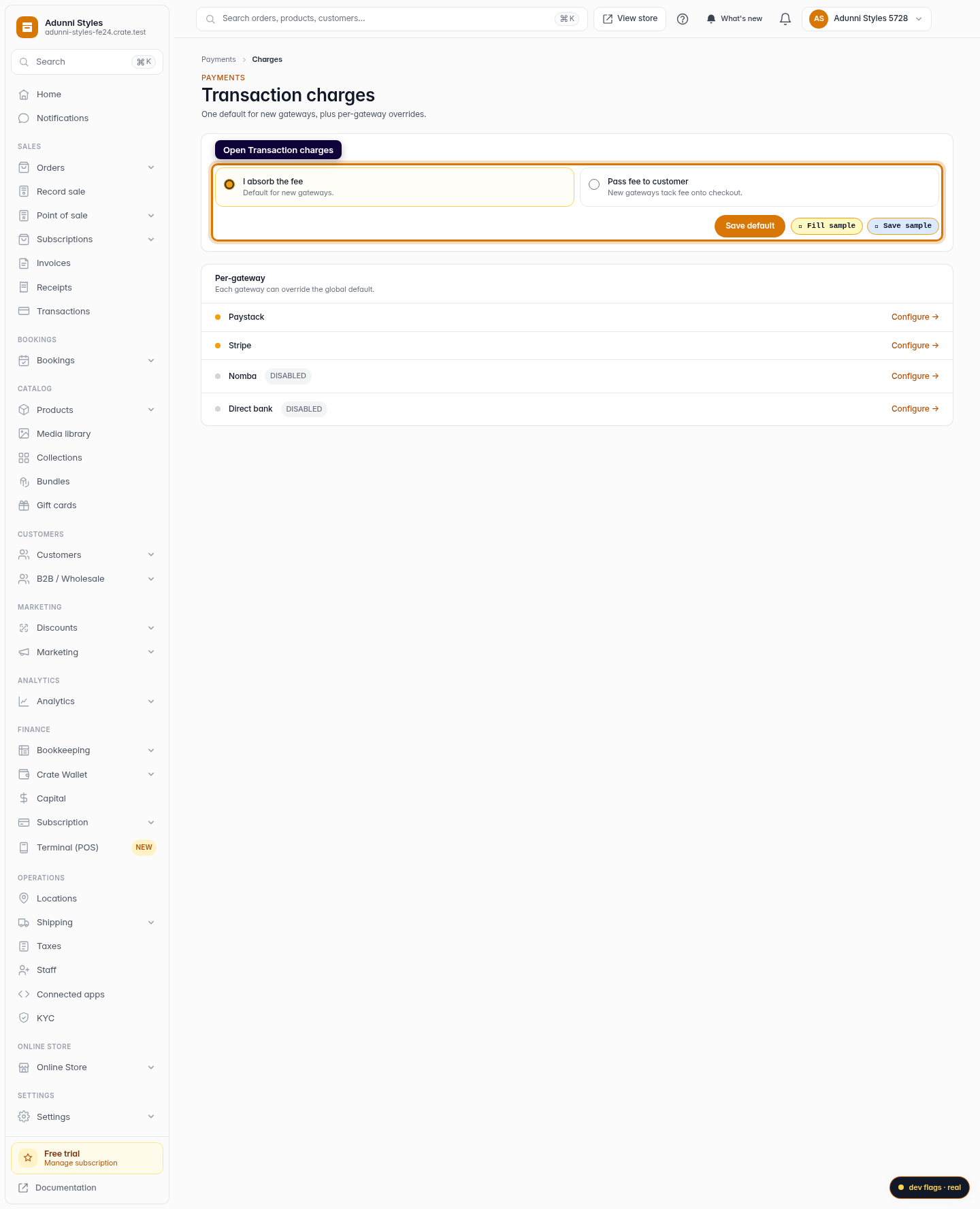
Open Transaction charges
From the dashboard, go to Payments → Transaction charges. This page controls who covers the processing fee on each online payment.
Web -
2
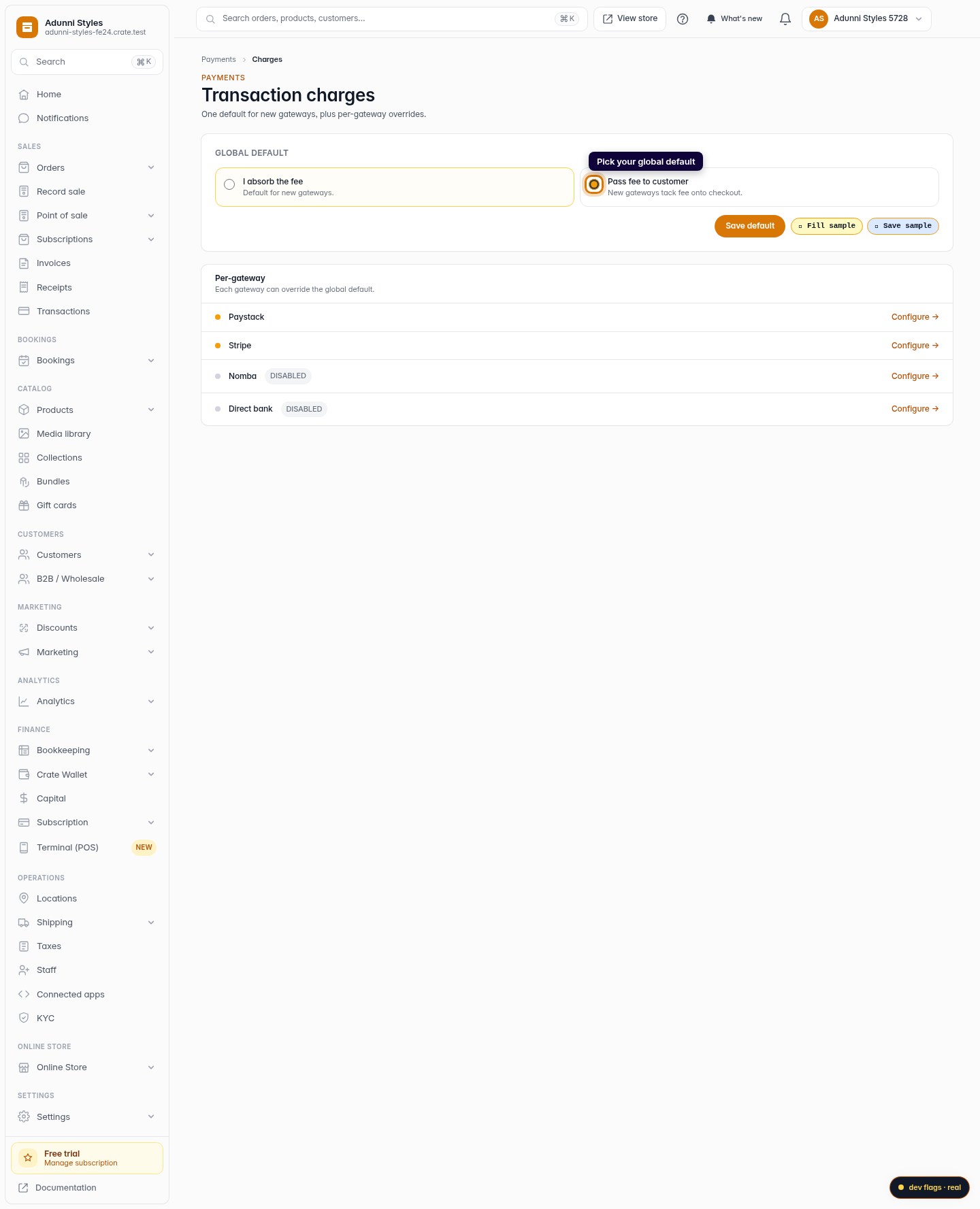
Pick your global default
Choose I absorb the fee to take the charge out of your remittance, or Pass fee to customer to add it to their total at checkout. This becomes the default for any new gateway you connect.
Web -
3
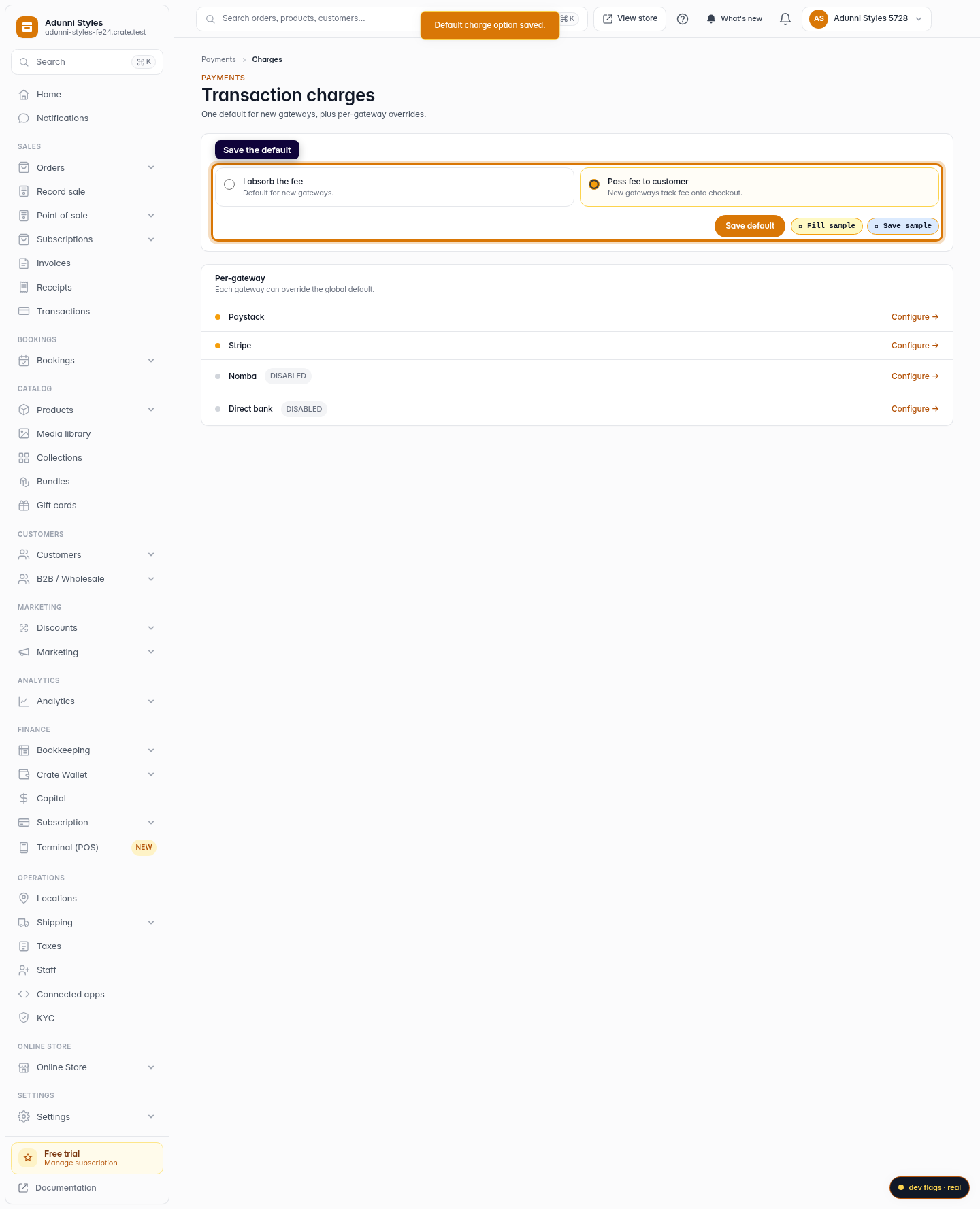
Save the default
Click Save default. Crate confirms the choice and applies it to gateways that don't have their own override.
Web -
4
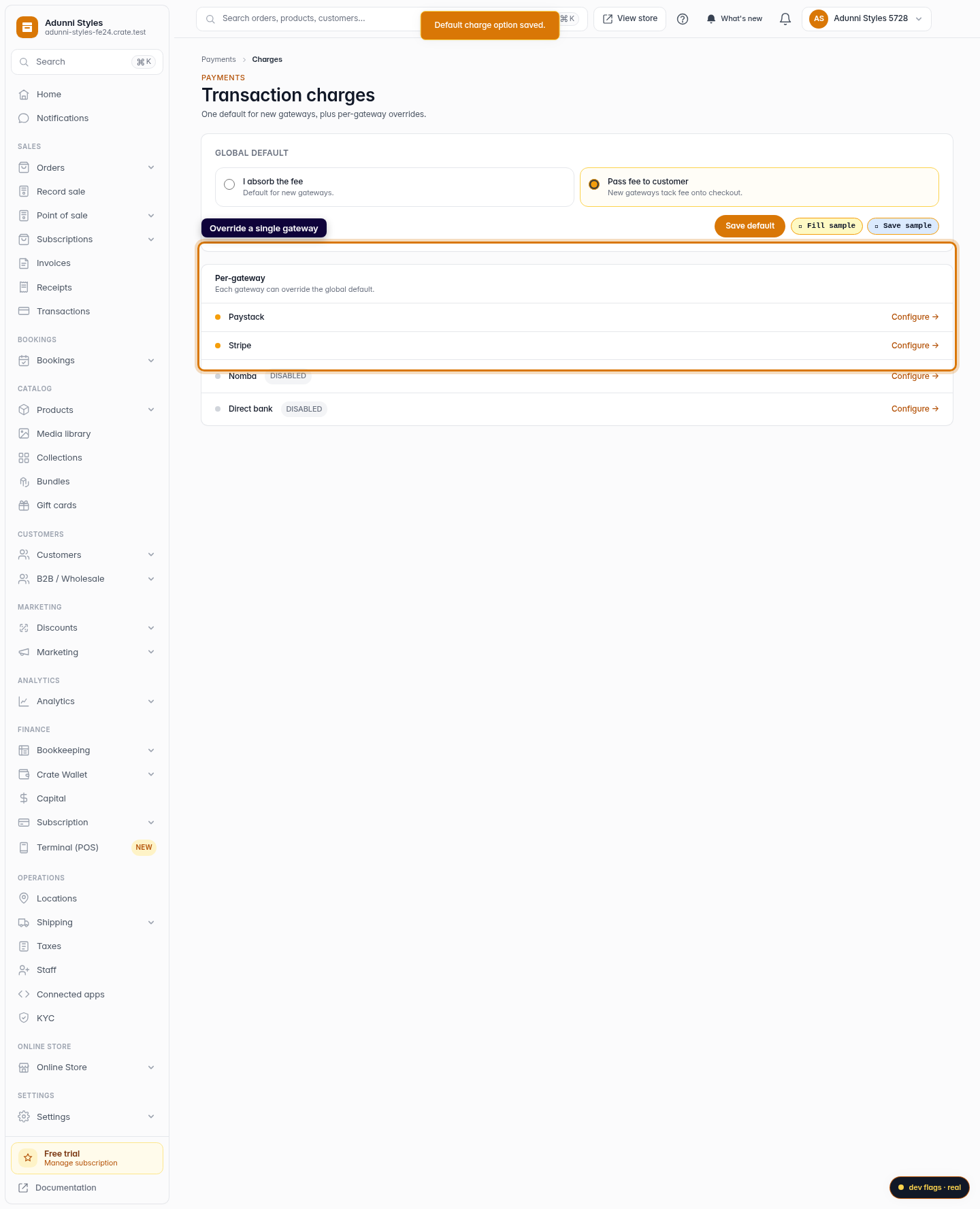
Override a single gateway
Need a different rule for one provider? In the Per-gateway list, click Configure beside it to set who pays for that gateway alone.
Web