Record a business expense
Log every non-product cost — rent, ads, packaging, salaries — against a category so your bookkeeping report shows the true picture of your spend.
Recording what you spend is what turns raw sales into a real profit-and-loss picture. Every cost that is not the product itself — rent, ads, packaging, transport, salaries — belongs here, on the cash-out side of your books.
Categorise as you go
Each expense is filed under a category. Categorising as you record means your bookkeeping report can break spend down by type without any extra work — so you can see, at a glance, where the money actually goes.
Attach the receipt
Snap the receipt and attach it (a photo or a PDF) right on the expense. It stays with the entry, which makes tax time and any audit far less painful than digging through a shoebox later.
Where it shows up
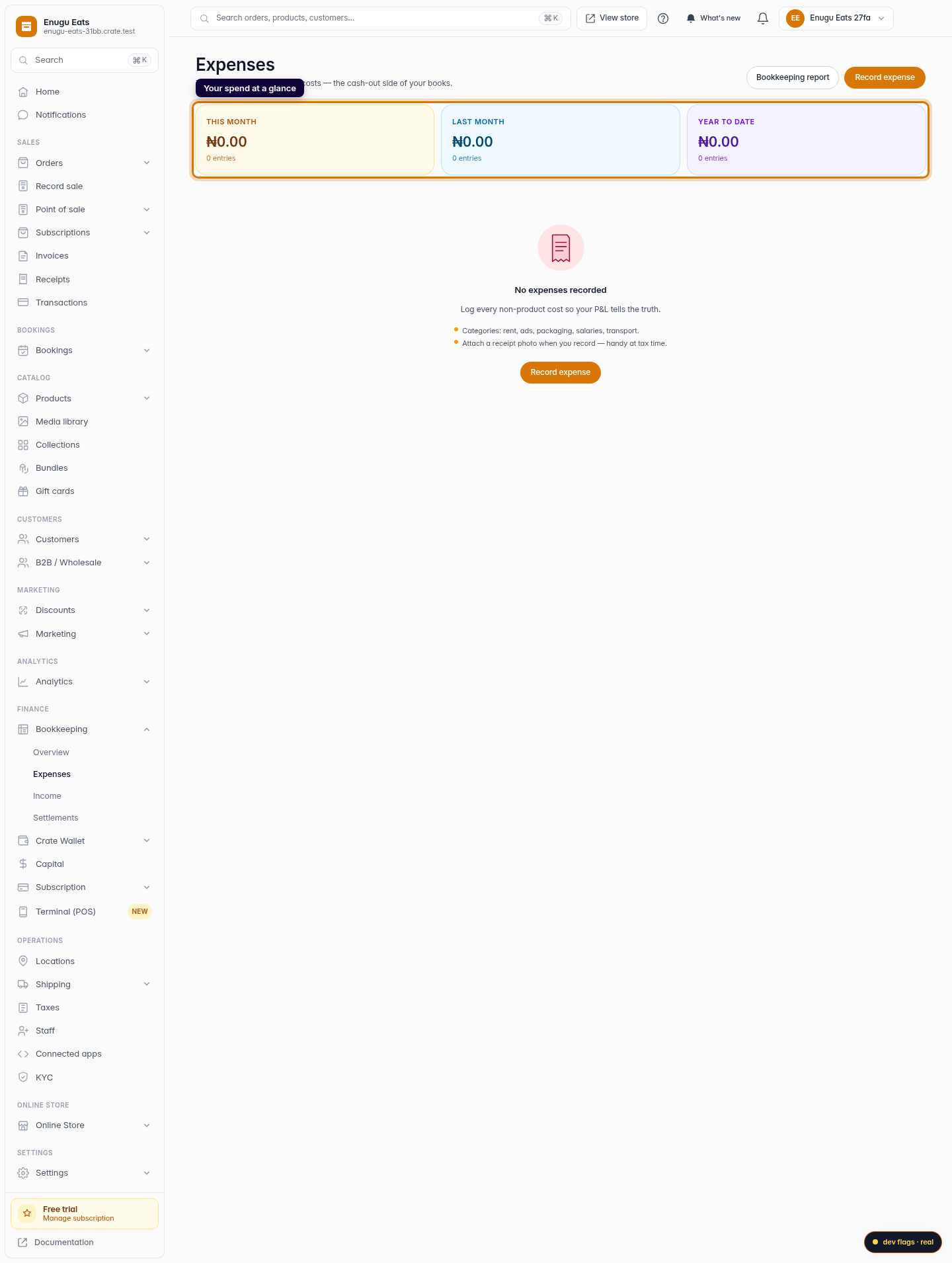
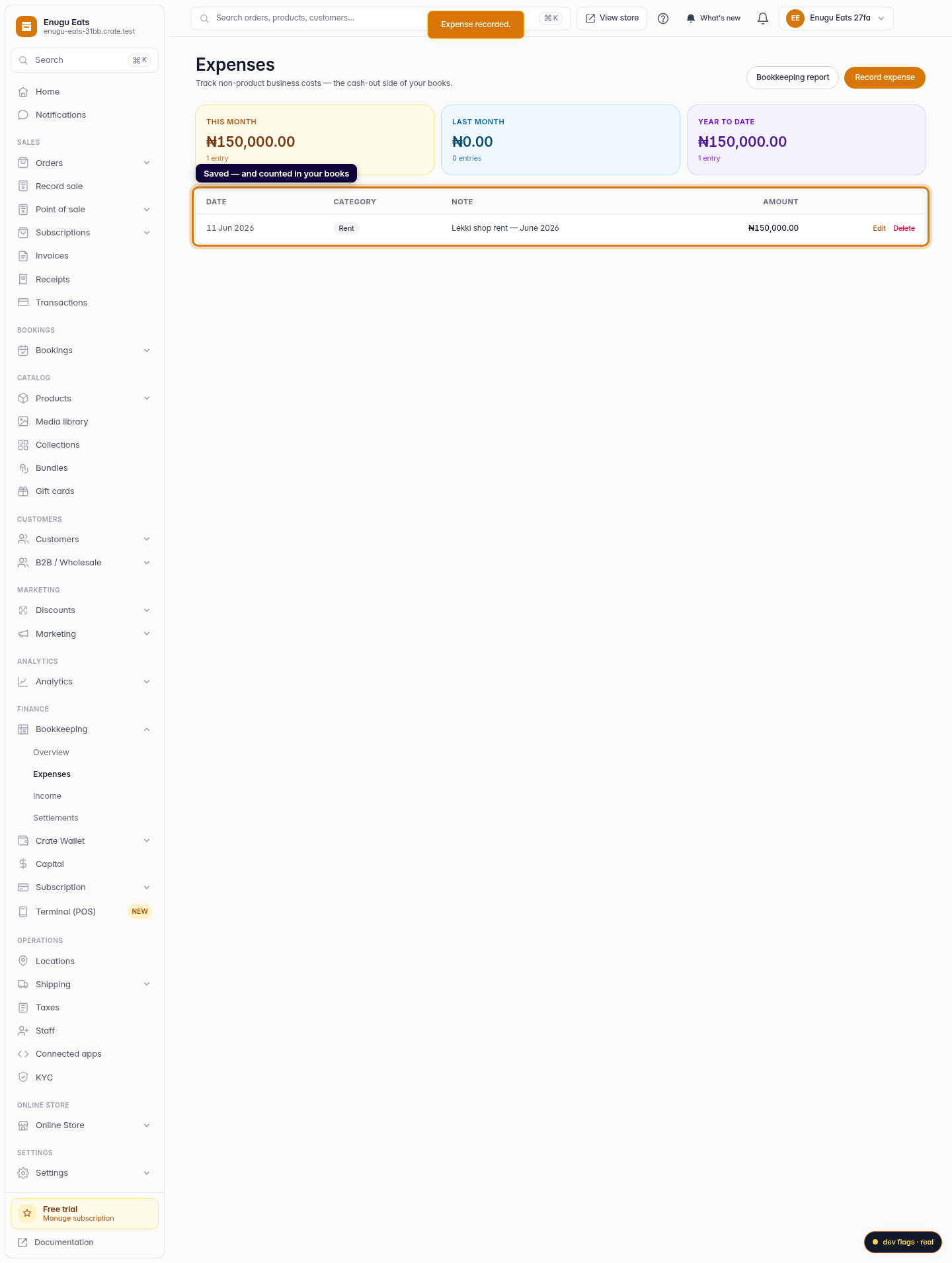
The three tiles at the top of the Expenses page total your spend for this month, last month and the year to date, updating the moment you save. Each expense also feeds the cash-out column of your Bookkeeping report, alongside your income, so your net position is always current.
Tip: Keep categories consistent month to month — it makes comparing periods (and spotting creeping costs) much easier.
-
1
Open Expenses
Go to Expenses under Finance > Bookkeeping. The tiles at the top total your spend for this month, last month and the year to date.
Web 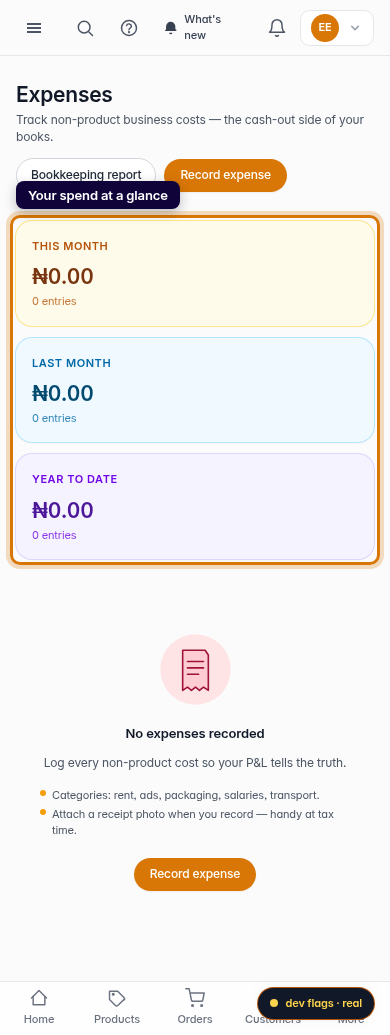
Mobile -
2
Start a new expense
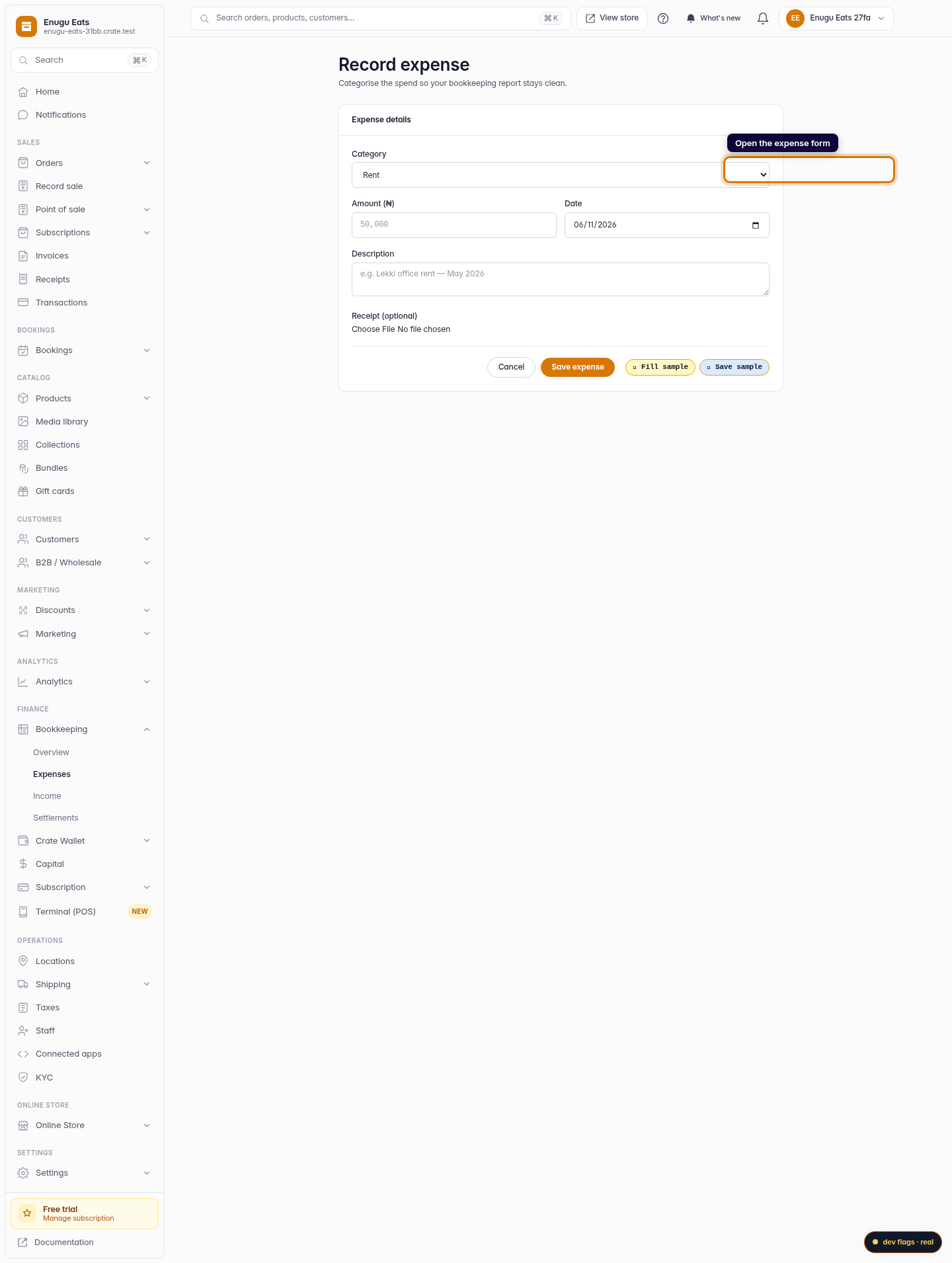
Click Record expense to open the form.
Web -
3
Categorise and enter the amount
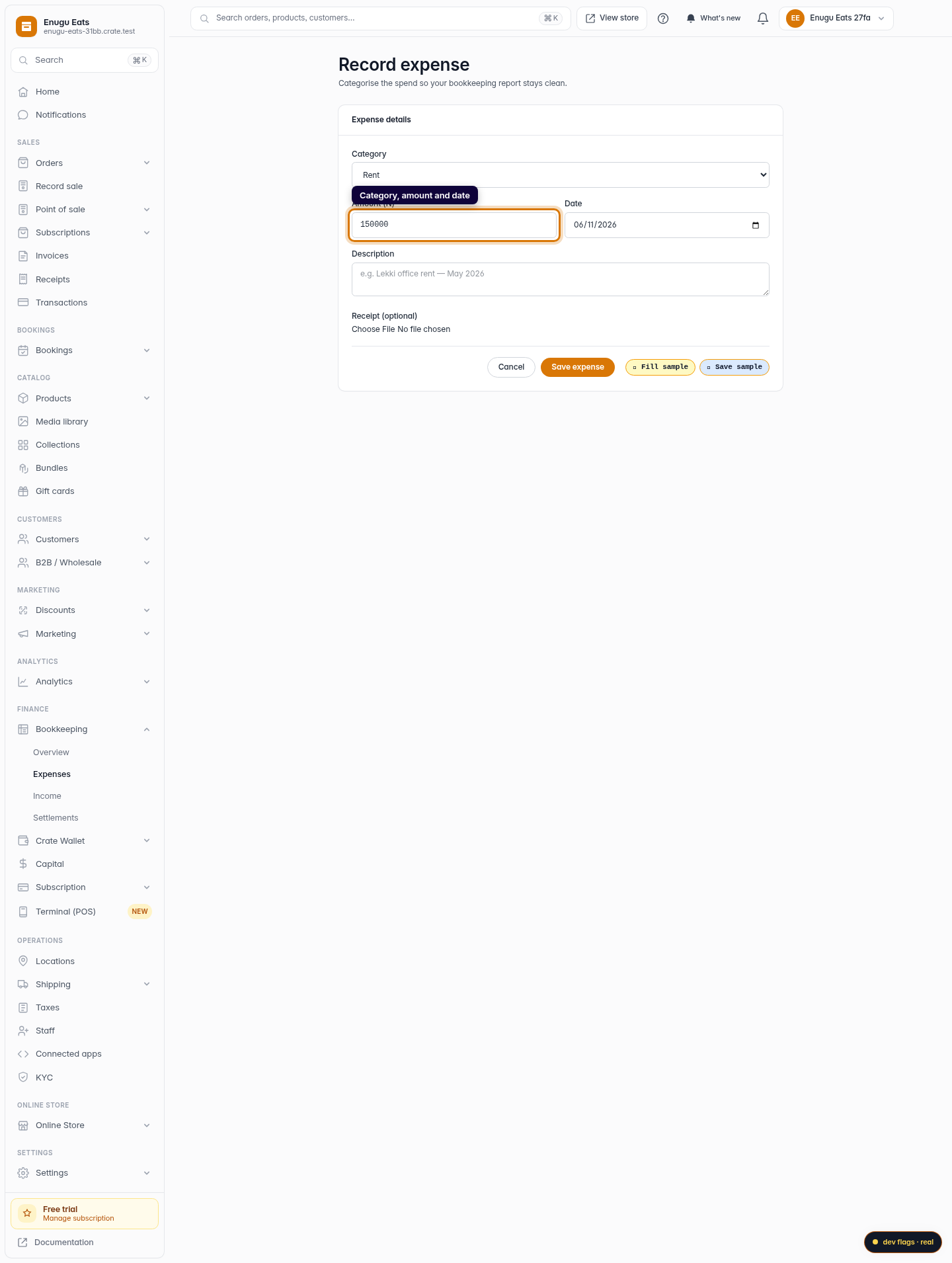
Pick a category (rent, marketing, packaging, salaries and more), enter the amount in naira and the date the money went out.
Web -
4
Add a note and a receipt
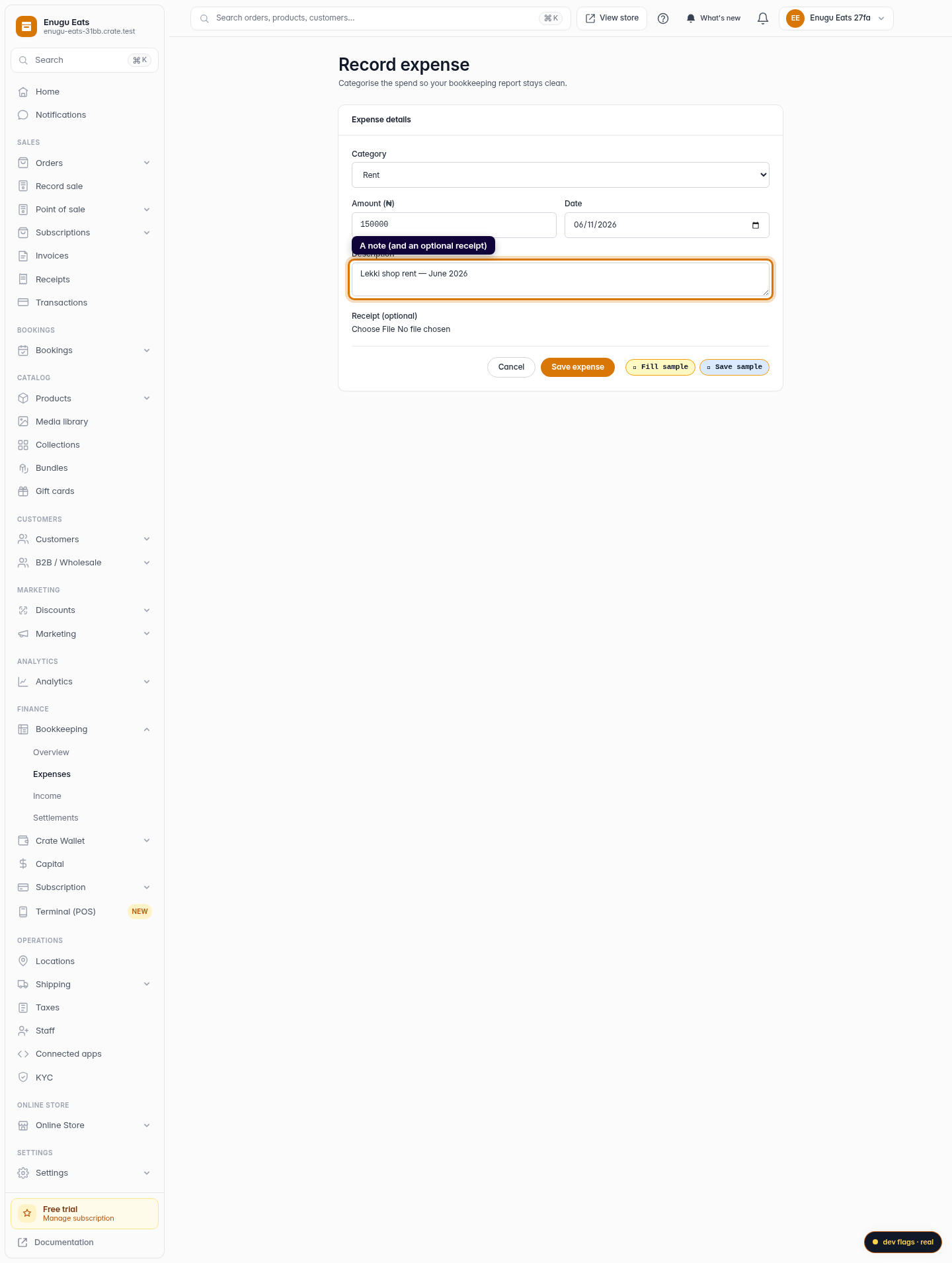
Add a short description so you remember what it was for, and optionally attach a receipt photo or PDF as proof of spend.
Web -
5
Save the expense
Click Save expense. Crate records it, updates your monthly totals, and adds it to the cash-out side of your bookkeeping report.
Web 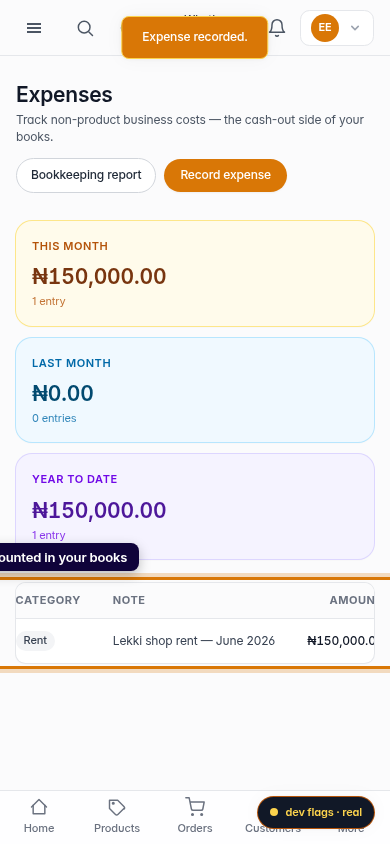
Mobile