Update your store's WhatsApp number
Add a WhatsApp Business number to your storefront so shoppers can message you directly while they browse. Set it once in Storefront preferences and Crate adds a floating WhatsApp chat to your store.
Putting your WhatsApp number on your storefront gives shoppers a direct line to you while they shop — to ask about sizing, confirm availability, or get help checking out. Crate turns it into a floating WhatsApp chat button so buyers can reach you in a tap.
Use a WhatsApp Business number
Enter the number in international format, starting with your country code (the + and the digits, no spaces required) — for example +2348000000000. This is the number messages route to, so make sure it's one you actually watch.
The same number also appears on your maintenance page, so shoppers can reach you even while your store is temporarily offline.
Where it shows up
Once saved, the floating WhatsApp chat appears on every page of your storefront. Tapping it opens WhatsApp with a fresh chat to you — no extra setup, and you can change or remove the number any time from the same Preferences page.
If you'd rather list your contact phone in your storefront footer and emails instead, set it under Settings → Store information — that's a separate field for your general business phone.
-
1
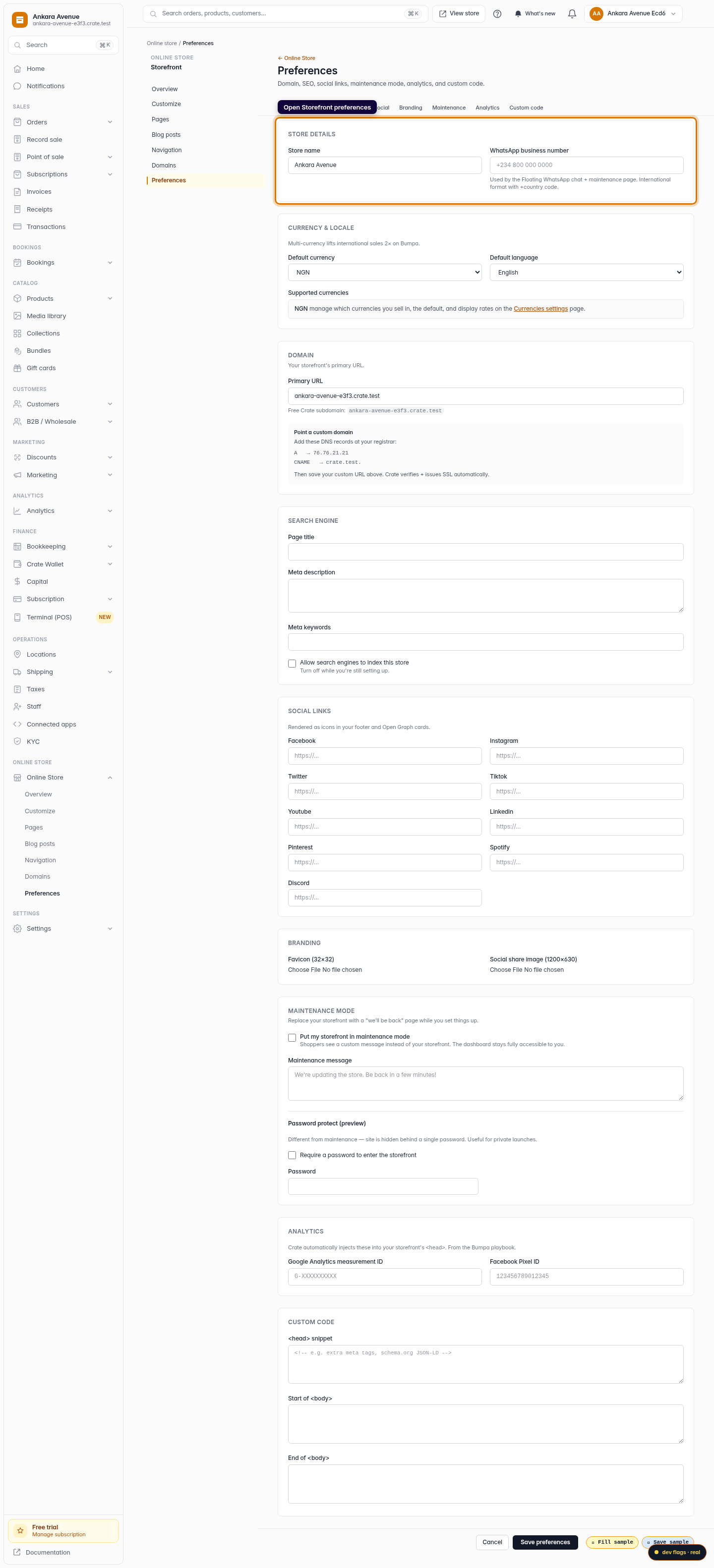
Open Storefront preferences
From your Crate dashboard, go to Online Store → Preferences. The WhatsApp number lives at the top, under Store details.
Web -
2
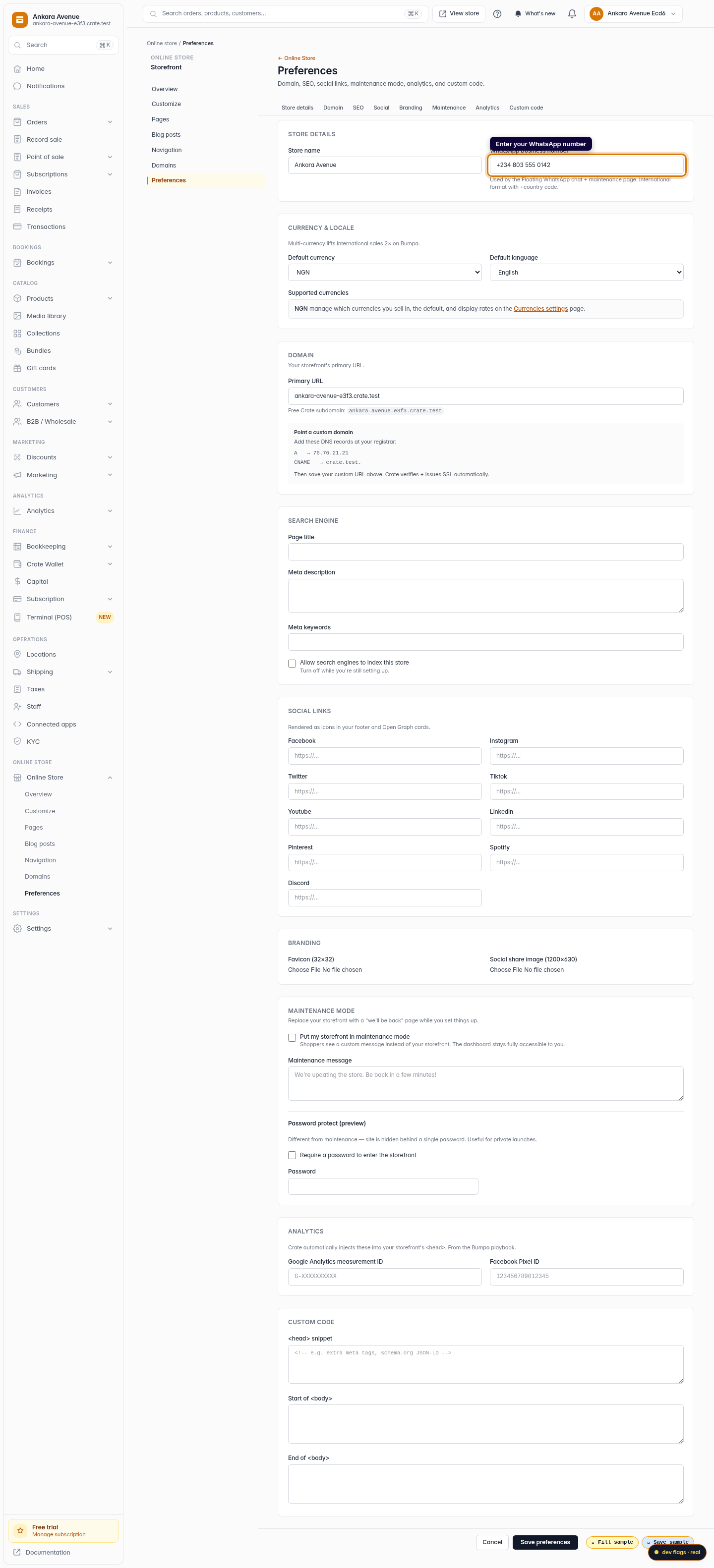
Enter your WhatsApp number
In WhatsApp business number, type your number in international format with the country code — for example +234 800 000 0000.
Web -
3
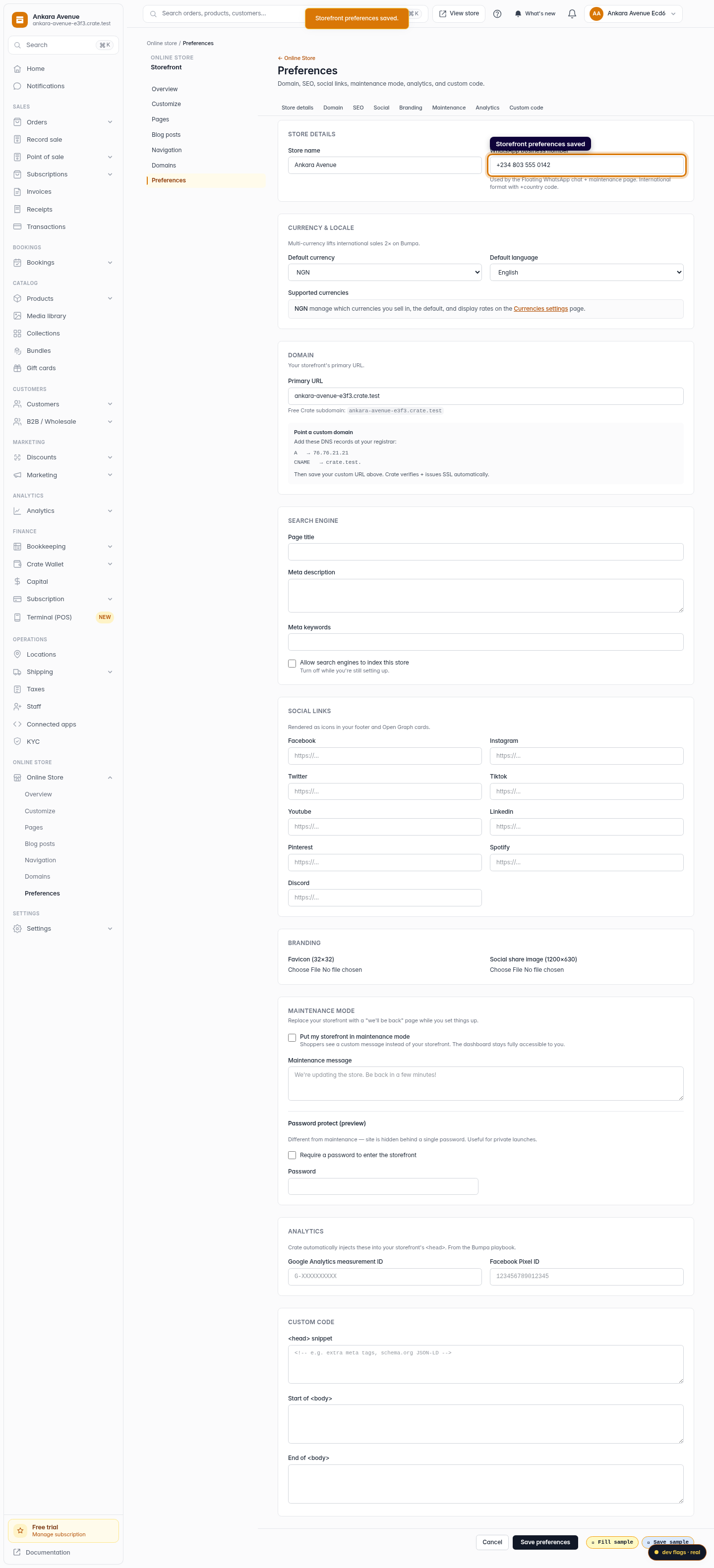
Save your preferences
Click Save preferences. Crate confirms with Storefront preferences saved and adds a floating WhatsApp chat button to your storefront straight away.
Web