Register a new custom domain
Don't own a domain yet? Search availability across the TLDs Crate sells, pick the name you want, and register it — auto-renewal and SSL are included.
If you don't already own a domain, you can register a brand-new one straight from Crate — no second account at a registrar, no DNS to wire up by hand. You search, pick a name, and Crate handles the rest.
Your store always has a free Crate subdomain in the form yourshop.crate.cloud that's live the moment you sign up. A custom domain like yourshop.com is the upgrade: it's shorter, easier to remember, and reads more professionally at checkout.
Search just the name
In the search box, type only the name — leave off www and the extension. Crate tests it across every TLD it sells at once and shows you the lot, with a yearly price next to each available option. If a name comes back Taken, another business already holds it; because domain names are unique, pick a different name or a different extension.
Everything comes with it
A domain registered through Crate isn't a bare name you then have to secure and maintain. Each one includes:
- a free SSL certificate, issued within minutes and renewed automatically
- auto-renewal, so the domain never expires out from under your store
- WHOIS privacy on supported extensions
- the built-in DNS editor, if you ever need custom records
Crate's nameservers (ns1.crate.cloud,ns2.crate.cloud) are pre-pointed at your store, so a domain you buy here connects itself — there's nothing to configure after checkout.
Already own a domain elsewhere? You don't need to buy a new one — integrate the one you have instead.
-
1
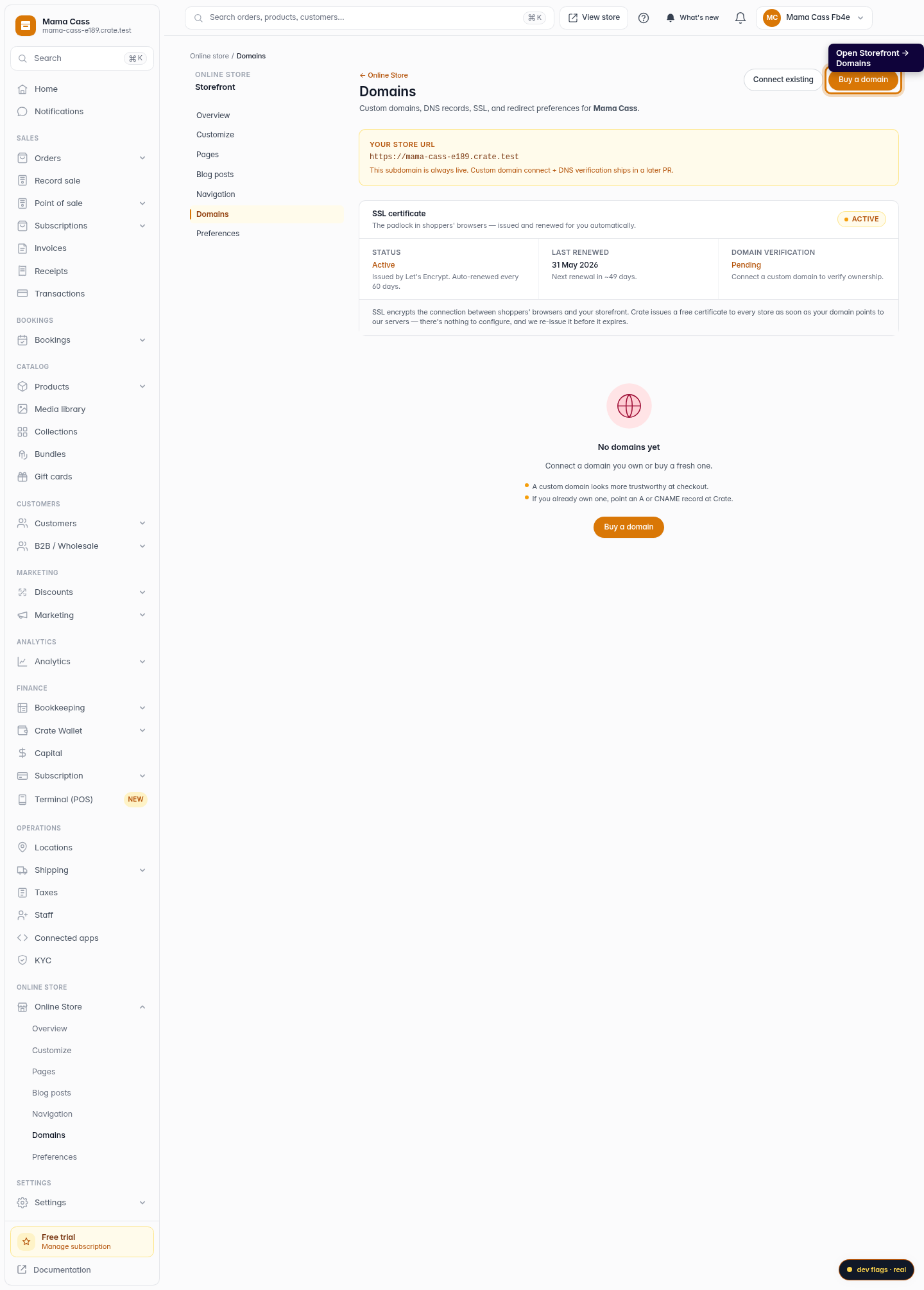
Open Domains
From your Crate dashboard, go to Storefront → Domains. Your free Crate subdomain is already live here; this is also where you add a custom one.
Web 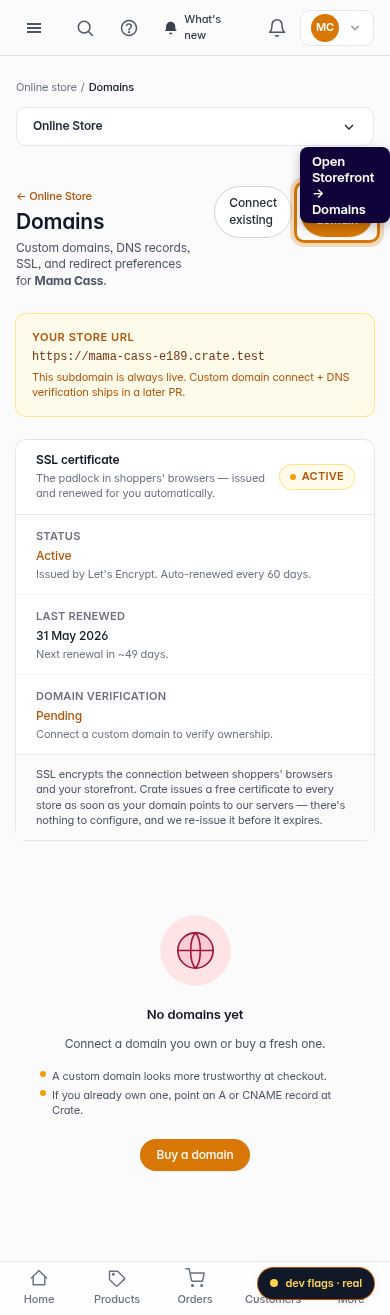
Mobile -
2
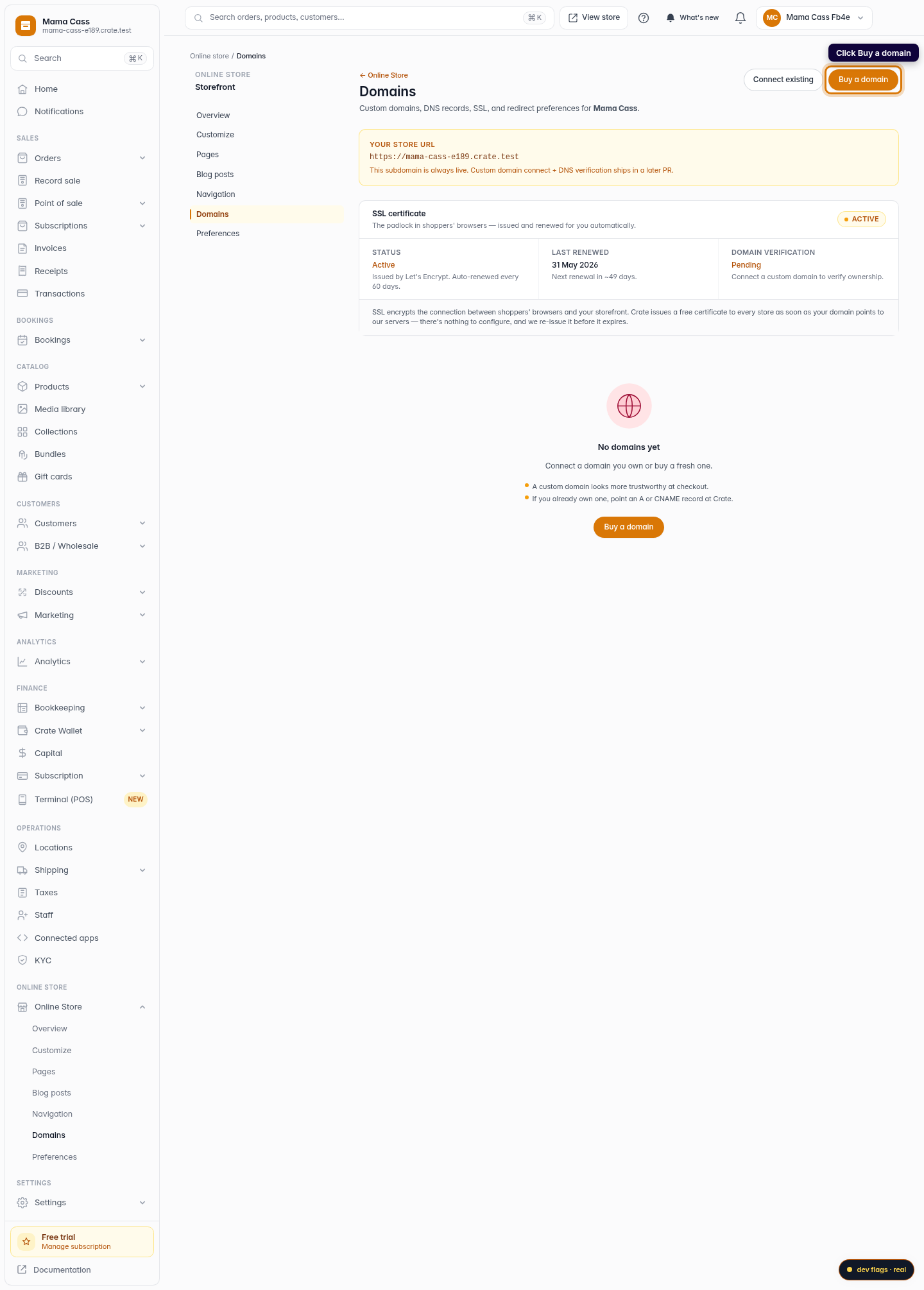
Choose Buy a domain
Click Buy a domain. Use this when you don't already own a domain and want to register a fresh one through Crate.
Web -
3
Search for a name
Type the name you want — just the name, with no www and no .com. Crate checks it against every TLD it sells, including
.com,.ng,.com.ng,.store,.shopand more.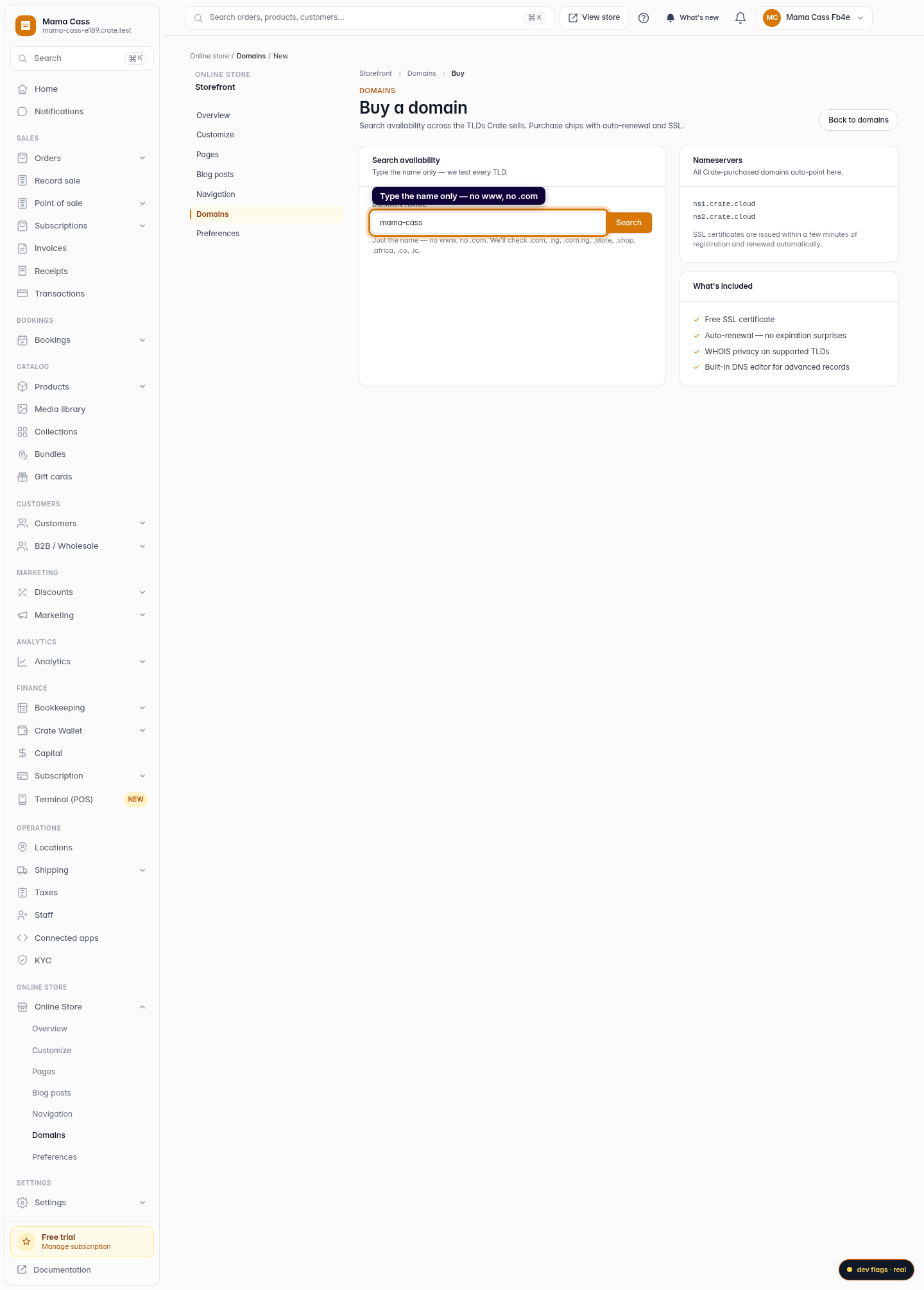
Web 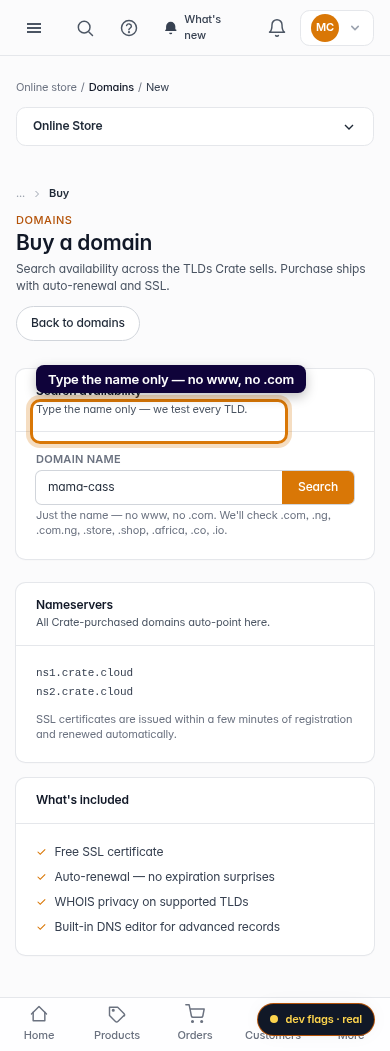
Mobile -
4
Pick from the results
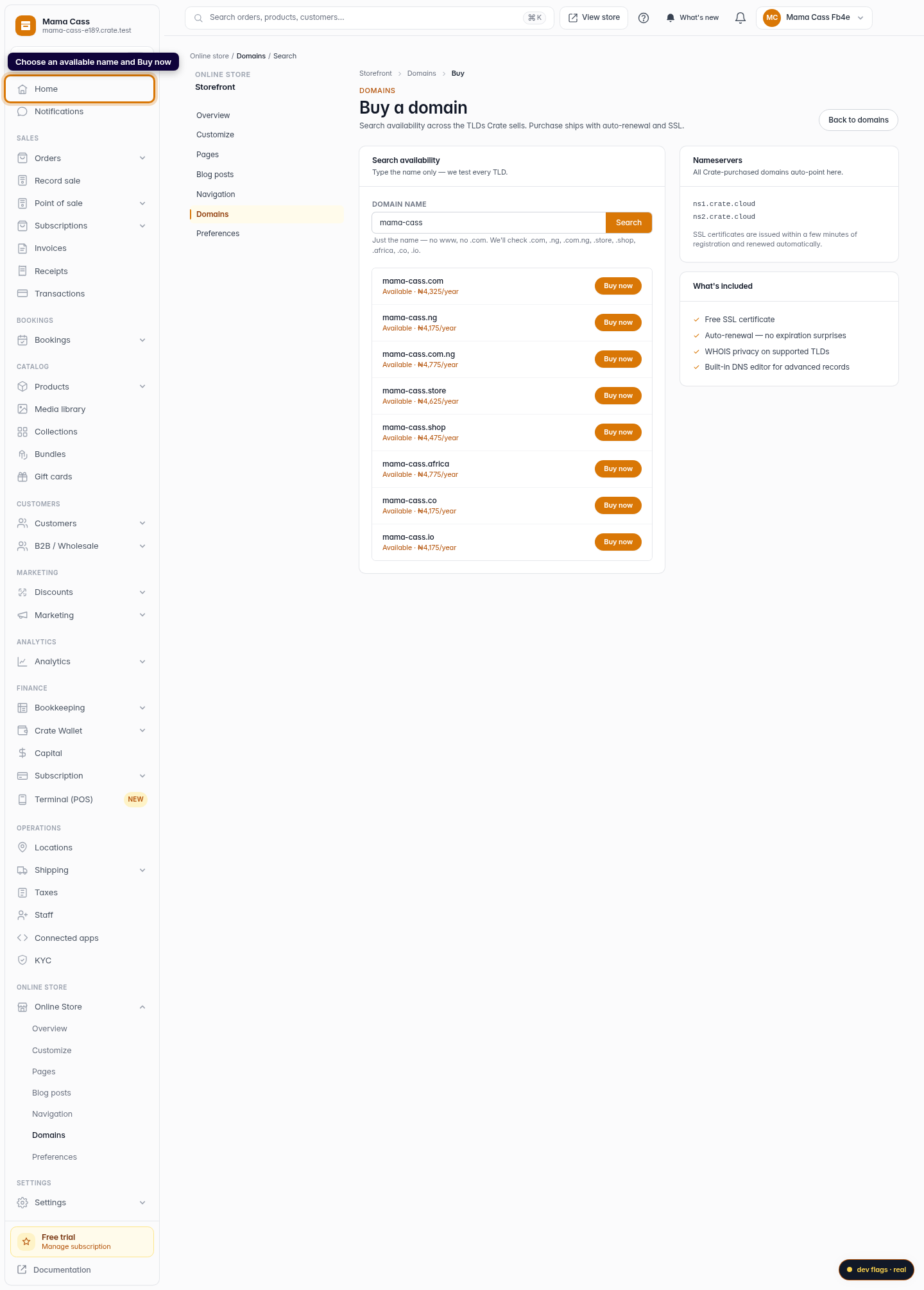
Crate lists each TLD with its yearly price and whether it's available. Names already taken by another business are marked Taken — domains are unique, so you'll need a different name or extension. Choose an available one and click Buy now.
Web -
5
What's included
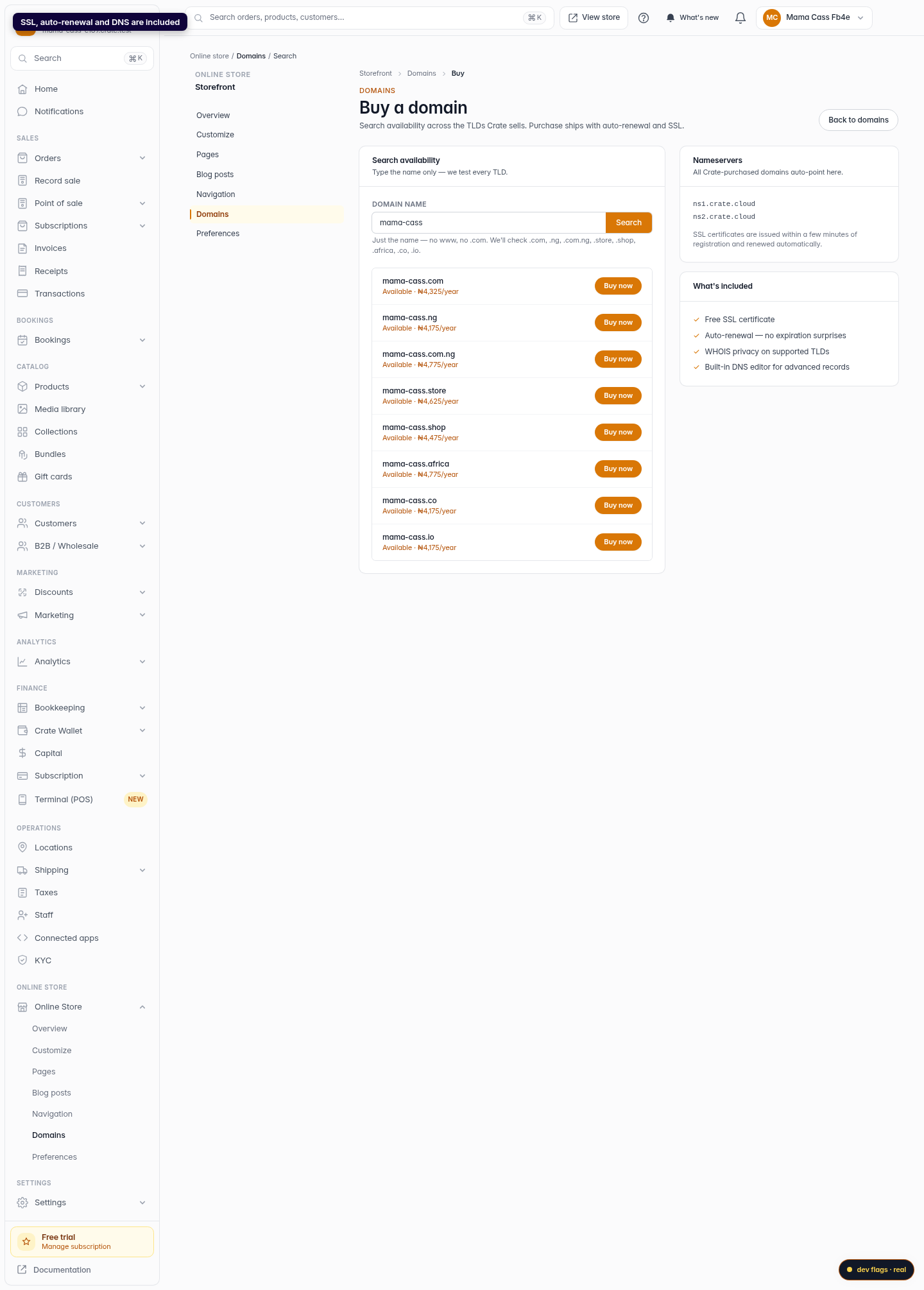
Every domain you register through Crate ships with a free SSL certificate, auto-renewal so it never lapses, WHOIS privacy on supported extensions, and the built-in DNS editor for advanced records. Crate's nameservers are pre-pointed for you, so there's nothing to configure.
Web