Connect Shipbubble for live shipping rates
Plug your Shipbubble API key into Crate to show live courier quotes — GIG, DHL, UPS, Speedaf, Topship — to shoppers at checkout, in three short steps.
Shipbubble aggregates Nigeria's couriers — GIG, DHL, UPS, Speedaf, Topship and more — behind one connection. Plug it into Crate and your shoppers see live, accurate delivery rates at checkout instead of a flat guess, which cuts cart abandonment and stops you under-charging on shipping.
Before you start
You'll need a free Shipbubble account. If you don't have one yet, create it at shipbubble.com first, then come back — the connection takes under a minute once you have your API key.
Your API key is the credential that lets Crate request quotes on your behalf. Treat it like a password: Crate stores it encrypted and never displays it again after you save.
After you connect
Once connected, Crate requests rates from Shipbubble every time a shopper reaches checkout, so they pick a real courier and price. Test it by starting a checkout to a Lagos address — if live quotes appear, you're done. To rotate the key later, reopen the wizard and use Change key.
-
1
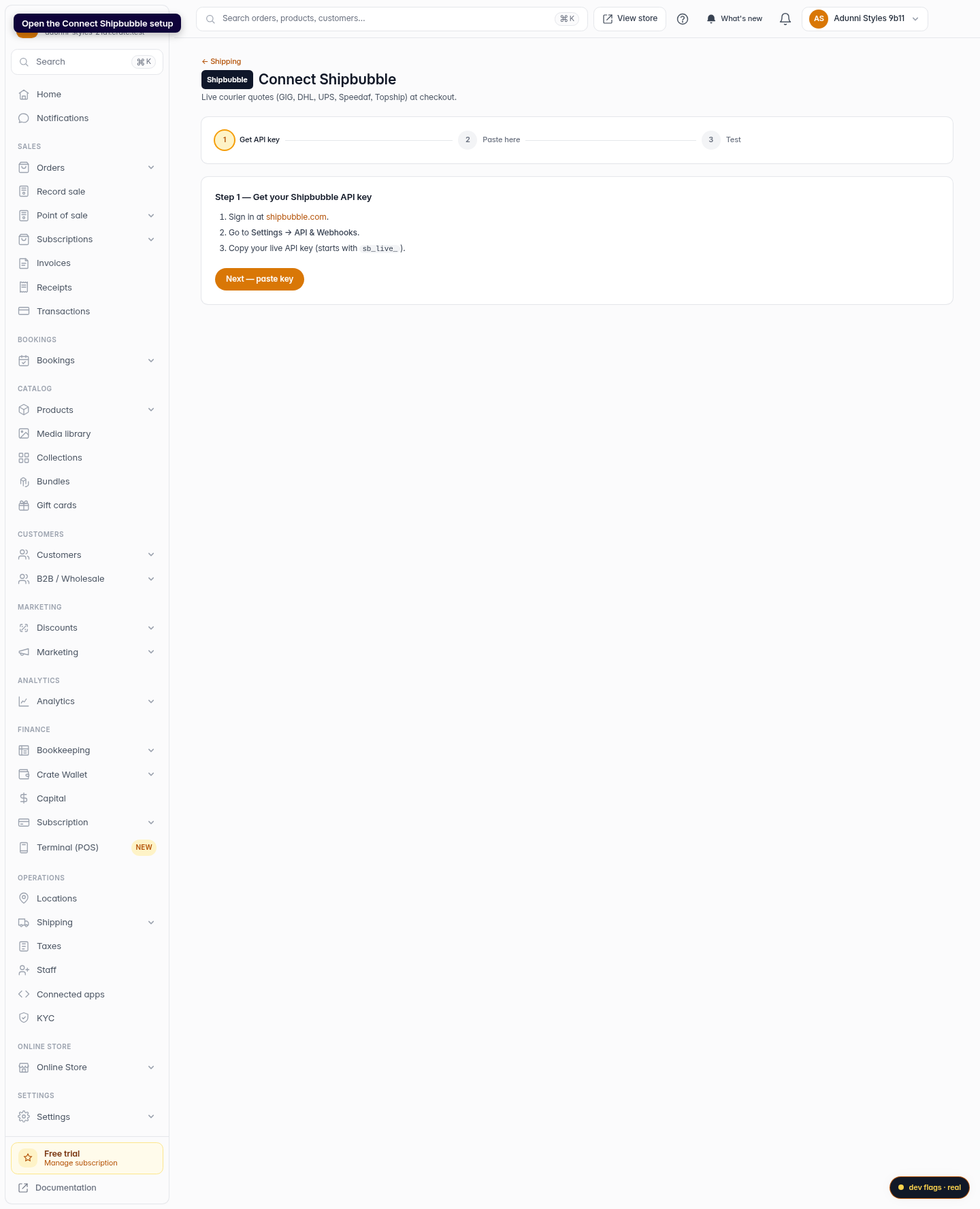
Open the Shipbubble setup
From your Crate dashboard, open the Connect Shipbubble wizard under Shipping. The three-step tracker at the top shows exactly where you are.
Web 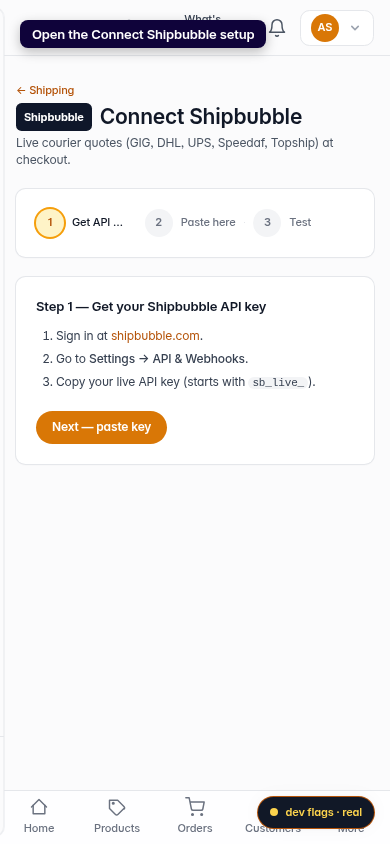
Mobile -
2
Get your API key from Shipbubble
Sign in at shipbubble.com, go to Settings → API & Webhooks, and copy your live API key (it starts with
sb_live_). Then click Next — paste key.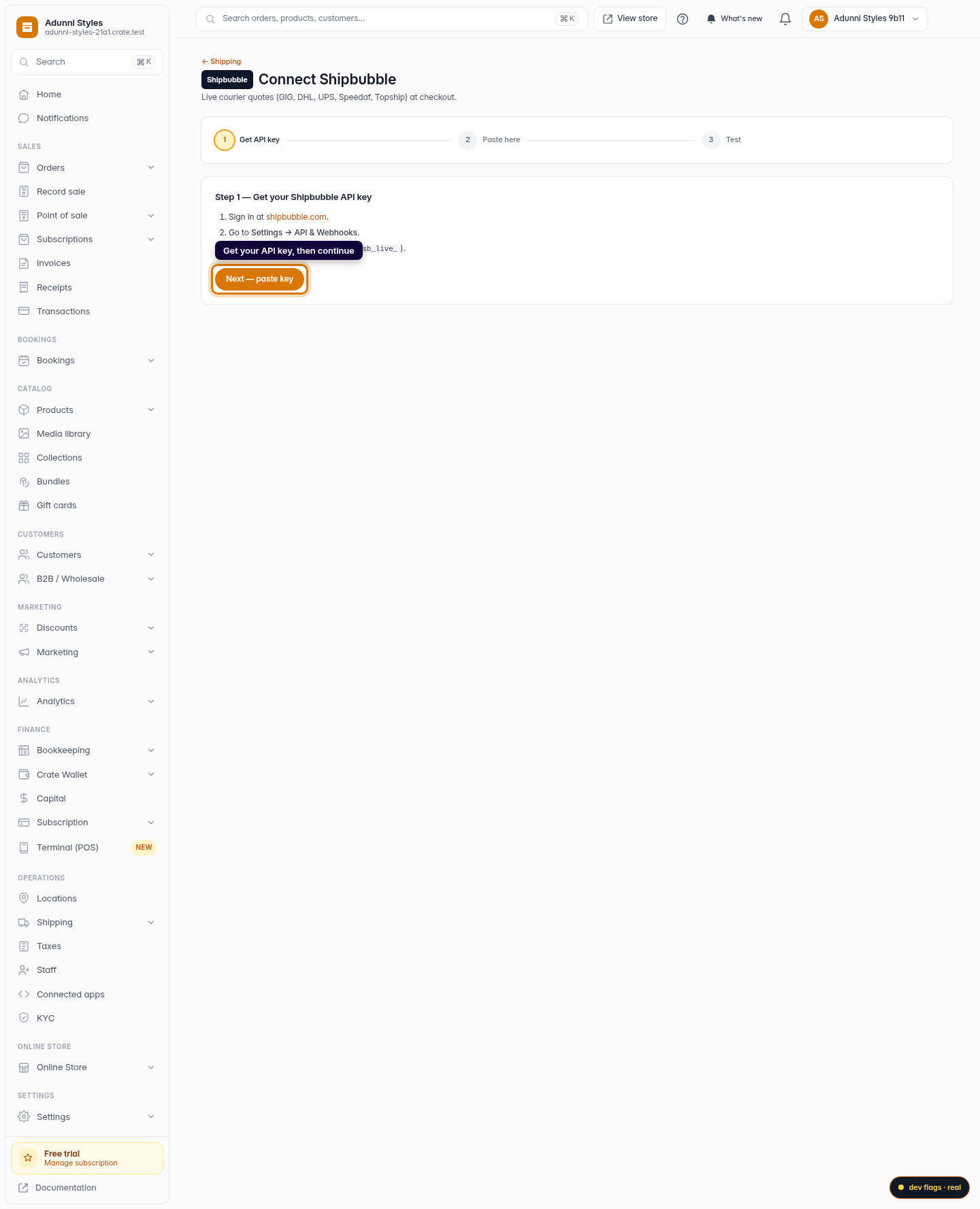
Web -
3
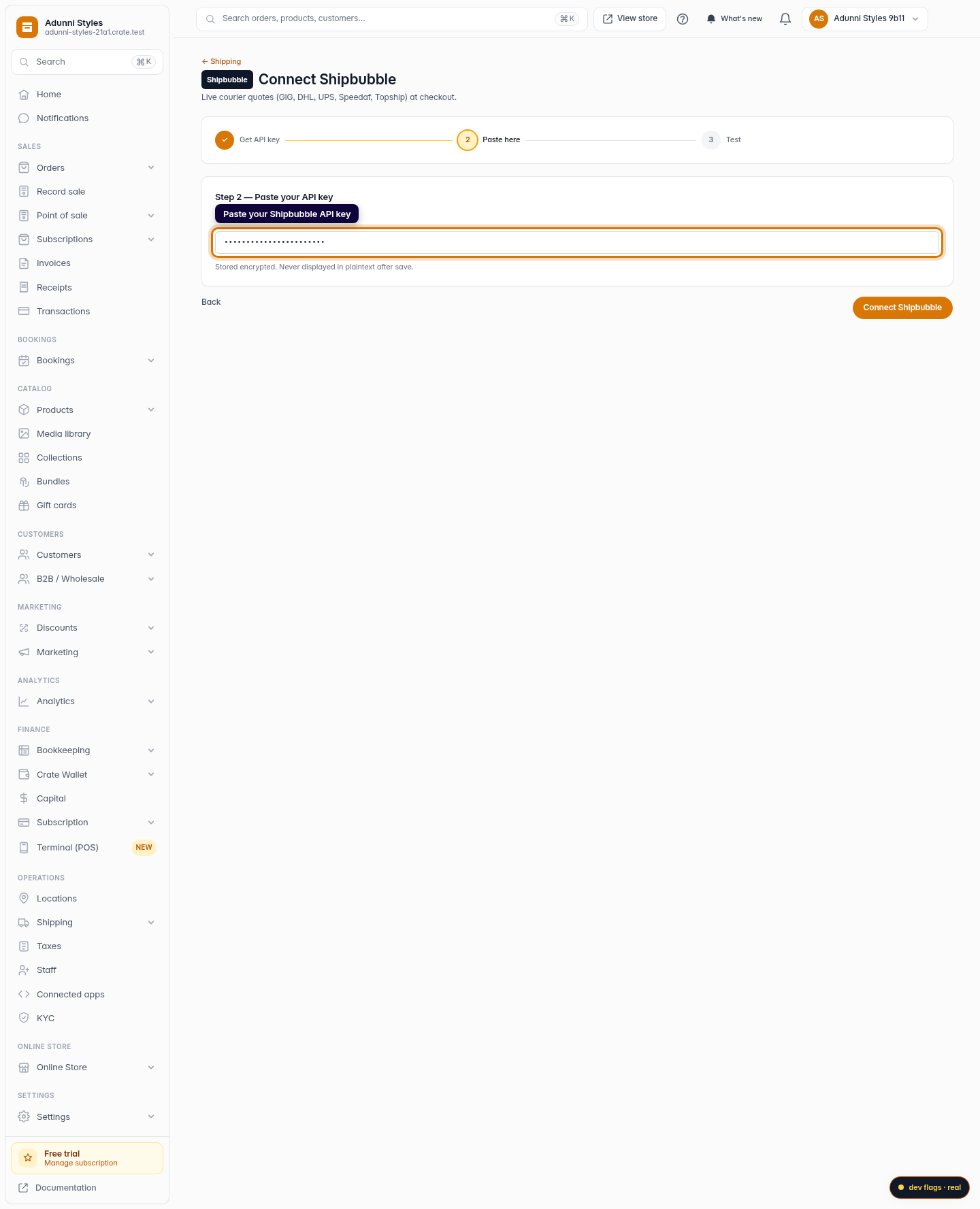
Paste your key into Crate
Paste the key into the Shipbubble API key field. Crate stores it encrypted and never shows it in plaintext again — so keep a copy at Shipbubble if you need it later.
Web 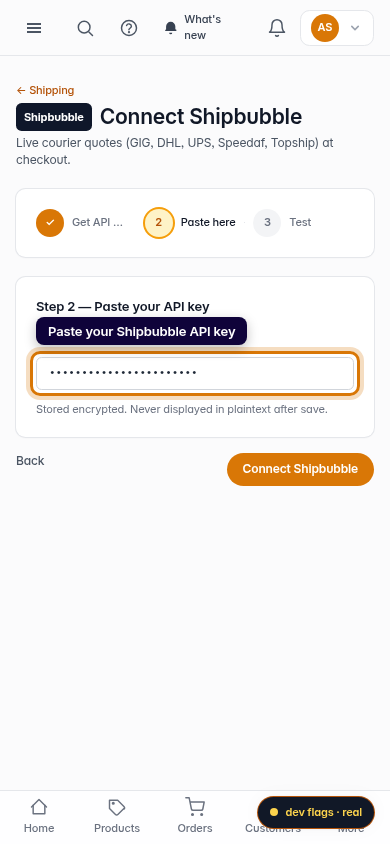
Mobile -
4
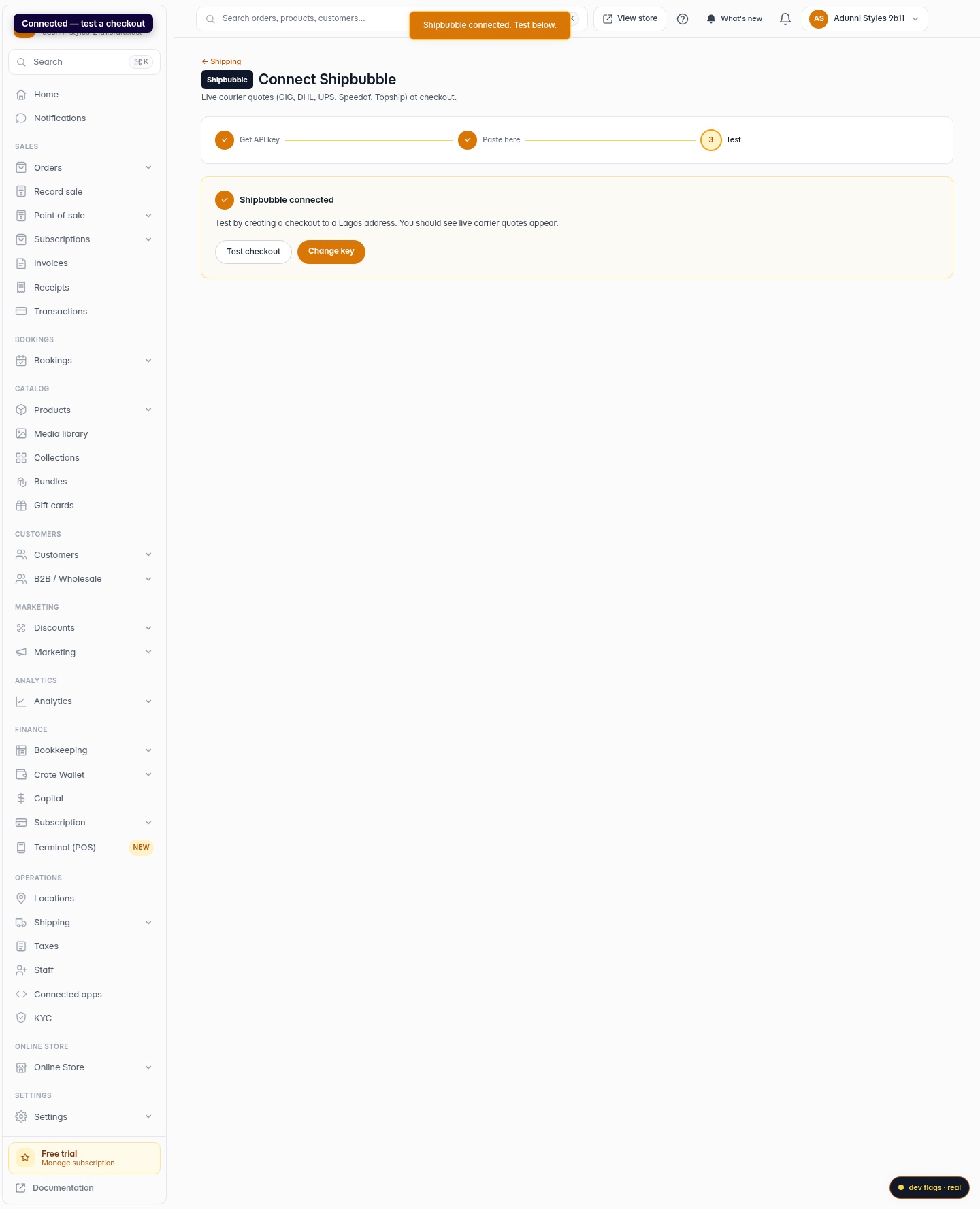
Connect and test
Click Connect Shipbubble. Crate confirms the connection and drops you on the test step. Run a checkout to a Lagos address and you'll see live carrier quotes appear.
Web 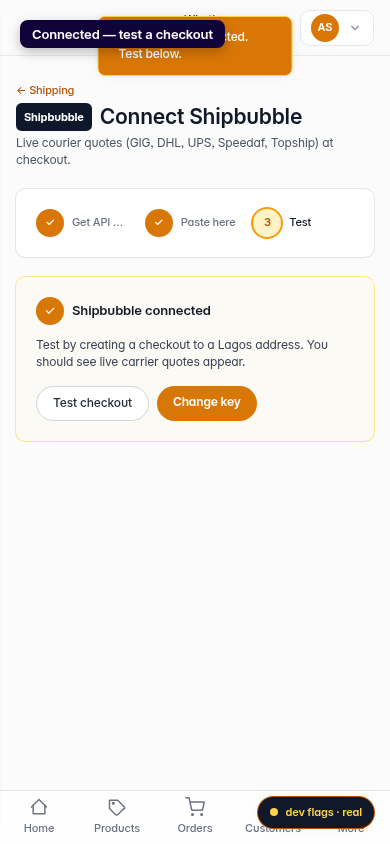
Mobile