Cancelling a paid order
Cancel an order the customer has already paid for. Crate removes it from your sales totals and walks you through restocking and refunding — money never moves automatically, so you stay in control.
Sometimes a customer pays and then changes their mind, or you discover you can't fulfil the order. Cancelling a paid order is different from cancelling an unpaid one — the order already took money, so Crate keeps the record for your books while removing it from your live sales figures.
Cancel vs. delete vs. refund
These three actions do different things, and it's worth knowing which you need:
- Cancel keeps the order on file but pulls it out of your sales totals. Use it when the sale is off but you still want the paper trail.
- Delete wipes the order completely — and Crate only allows it for unpaid orders. A paid order can never be deleted.
- Refund returns money to the customer. Cancelling does not move money on its own.
Money doesn't move automatically
When you cancel a paid order, Crate adjusts your reporting but never touches the customer's money for you. If the buyer is owed a refund, send it from the order's Refund action, or return it through whatever channel they paid with. This keeps you in full control of every naira that leaves your account.
Tip: Tick Restock the items on the cancel screen so the stock you'd reserved goes straight back into your available inventory — otherwise those units stay tied up.
-
1
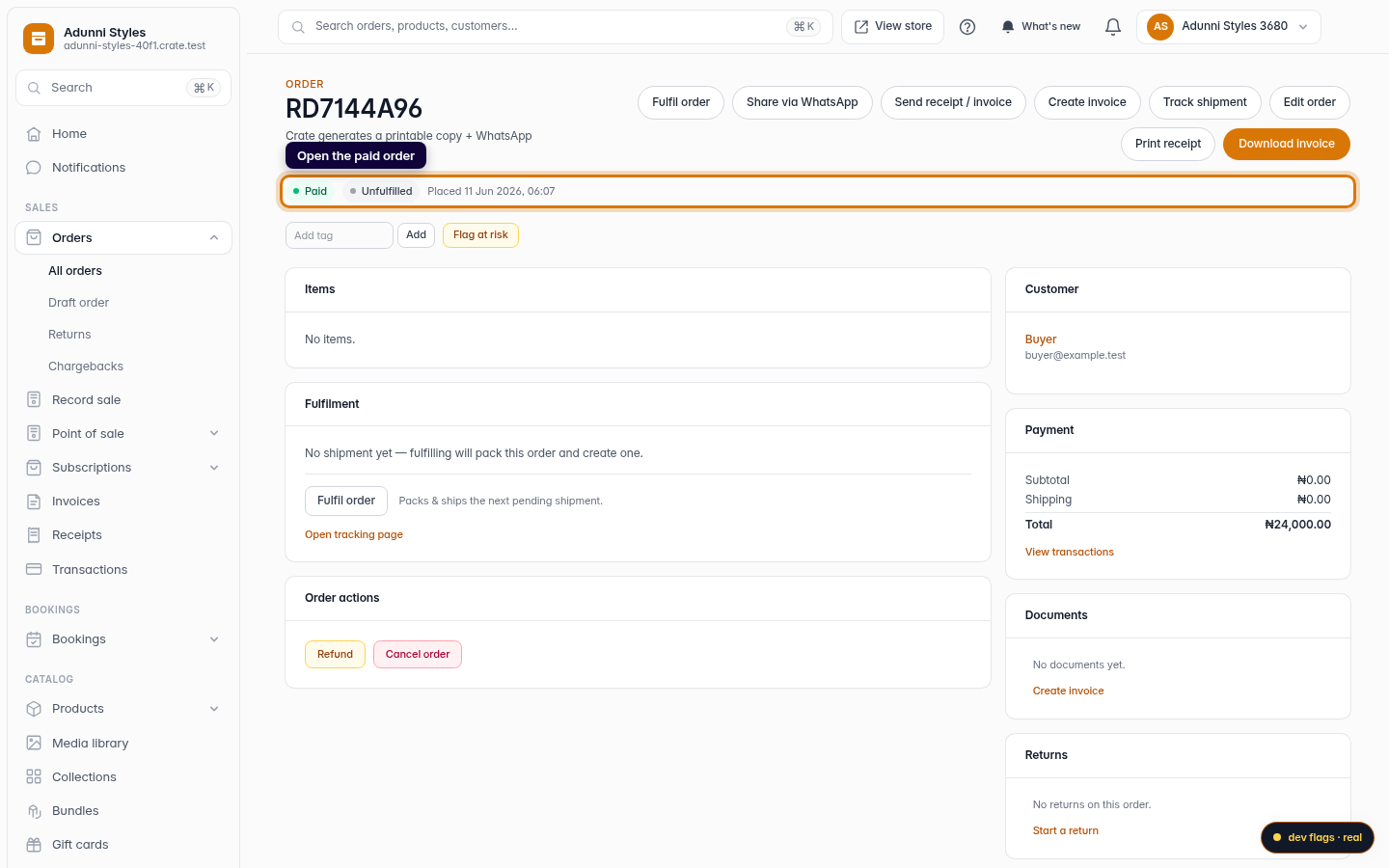
Open the paid order
From Orders, open the order you need to cancel. A paid order shows a green Paid badge at the top.
Web -
2
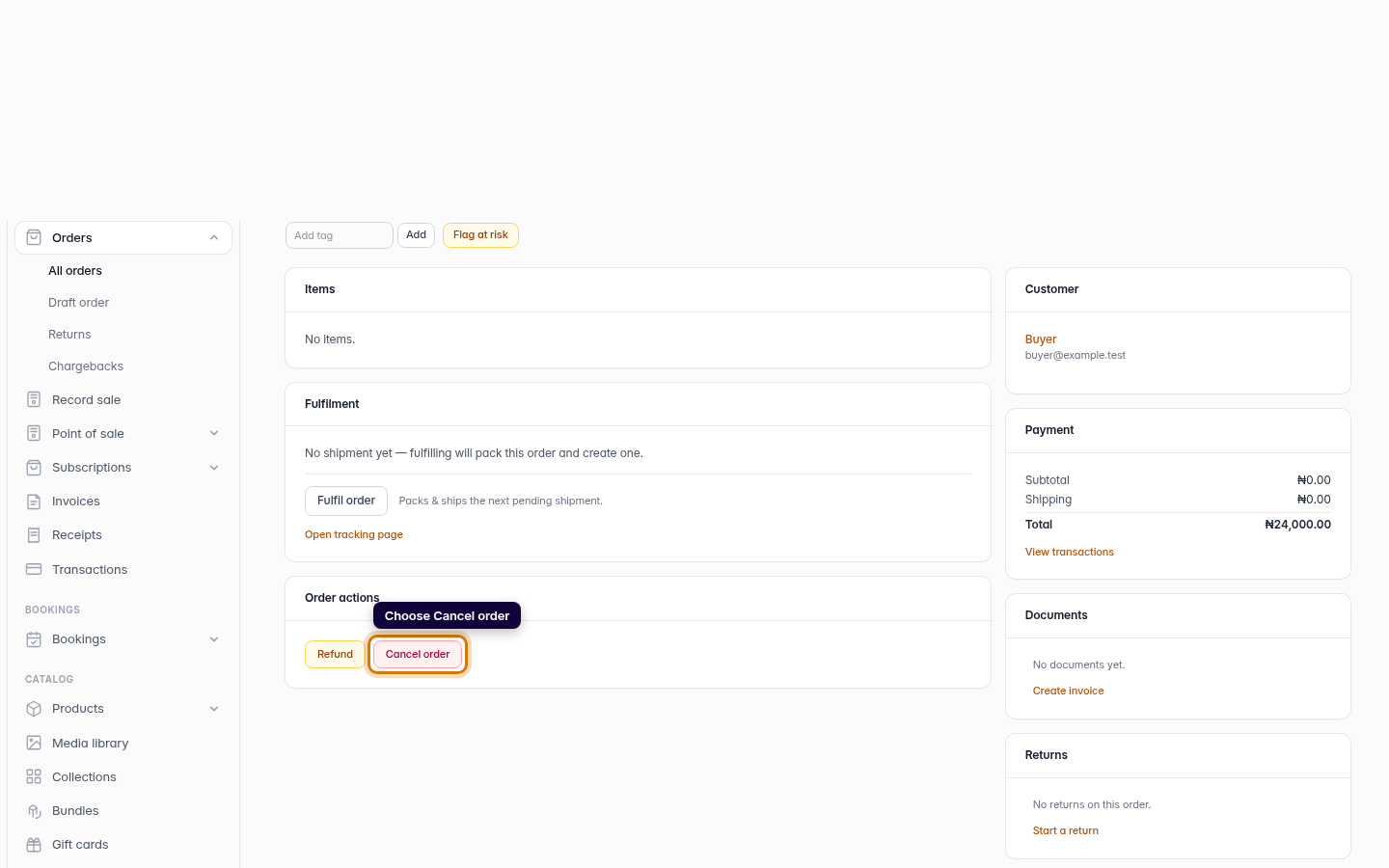
Choose Cancel order
In the Order actions card near the bottom of the order, click Cancel order. Cancel is different from delete — it keeps the record but takes it out of your sales.
Web -
3
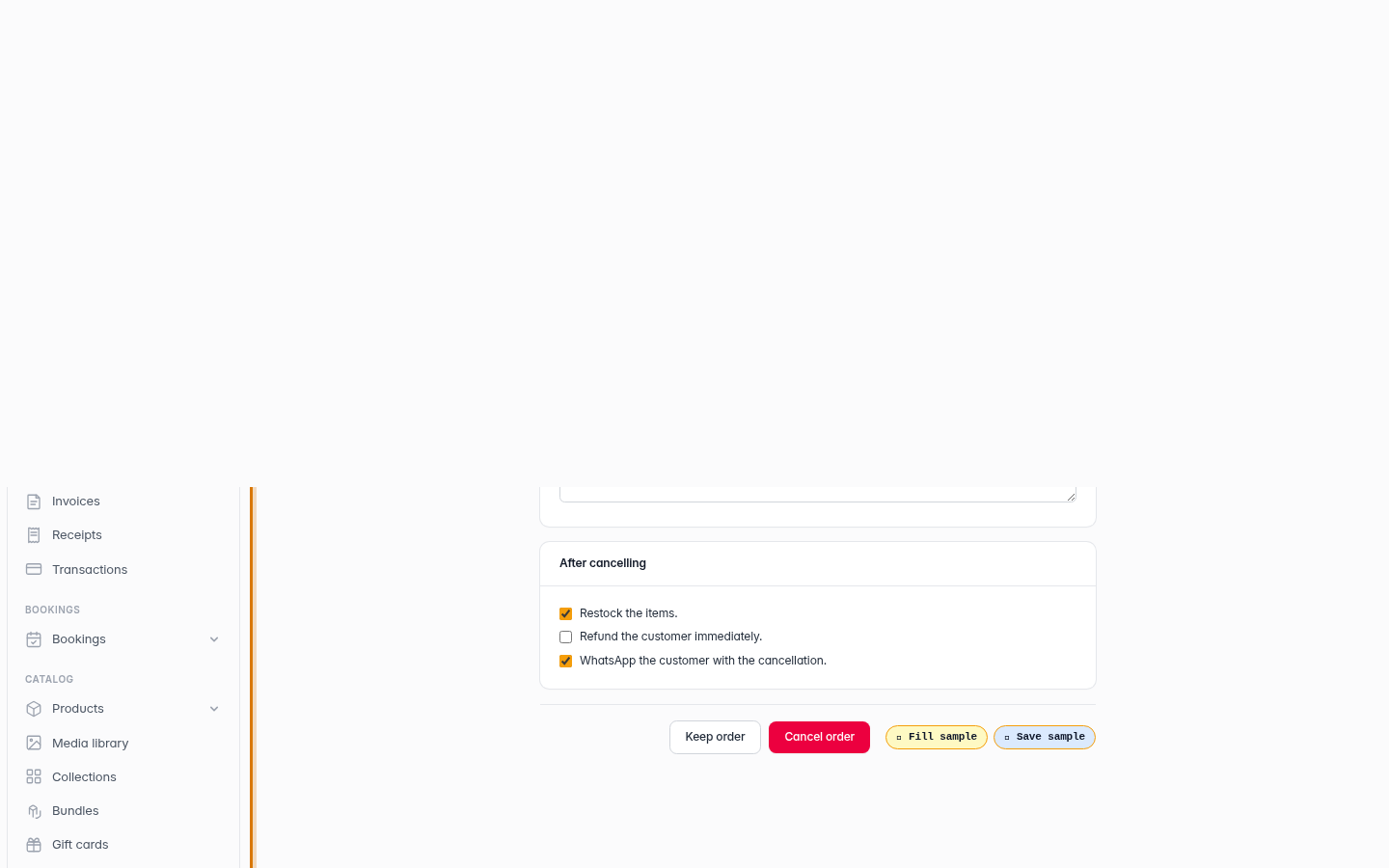
Read the paid-order notice
Because this order was paid, Crate shows a reminder that cancelling removes the amount from total sales but does not return the money. You refund the customer separately.
Web -
4
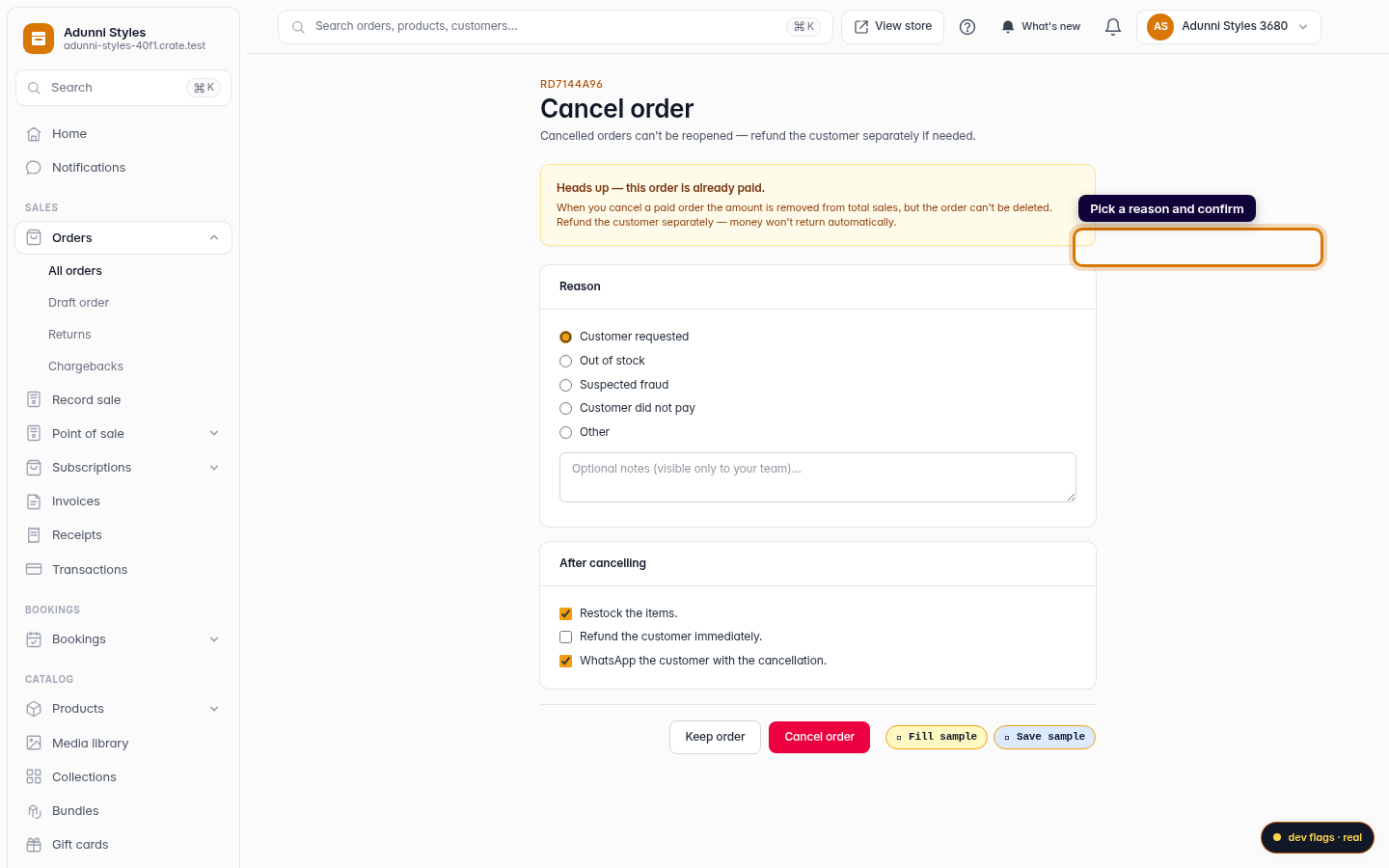
Pick a reason and confirm
Choose a cancellation reason, decide whether to restock the items and notify the customer, then click Cancel order.
Web -
5
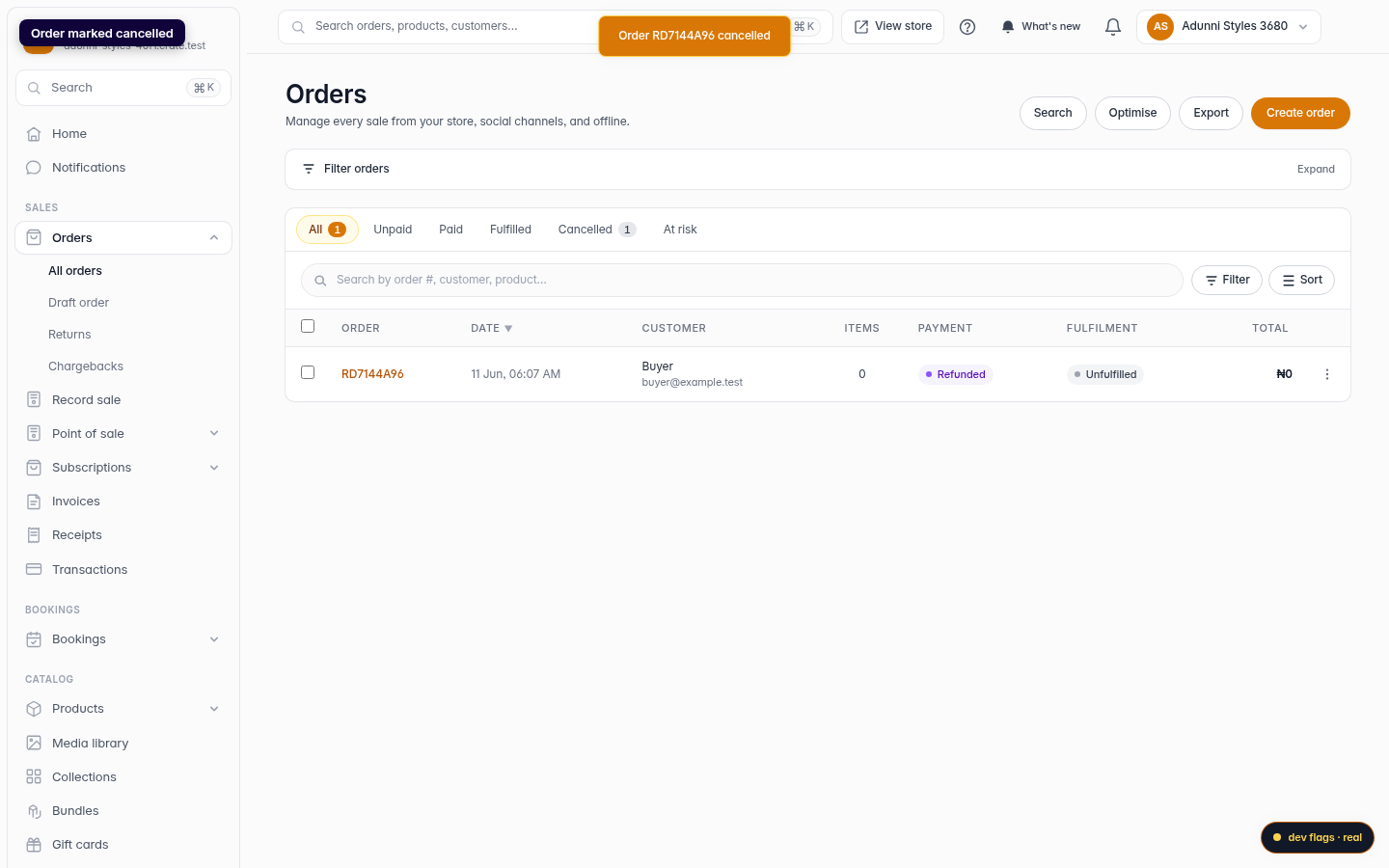
Order marked cancelled
Crate confirms the cancellation and the order moves to the Cancelled tab. Its value no longer counts toward your sales.
Web