Manage your Crate Wallet
Your Crate Wallet holds revenue from online and in-person sales. See your available balance, review recent activity, open the full ledger, and protect withdrawals with a 4-digit PIN.
Your Crate Wallet is where the money from your sales lands. Funds from successful online payments and in-person sales settle into your wallet, where you can see exactly what's available, withdraw to your bank, or top up to pay for ads, shipping and other Crate services.
What the balance means
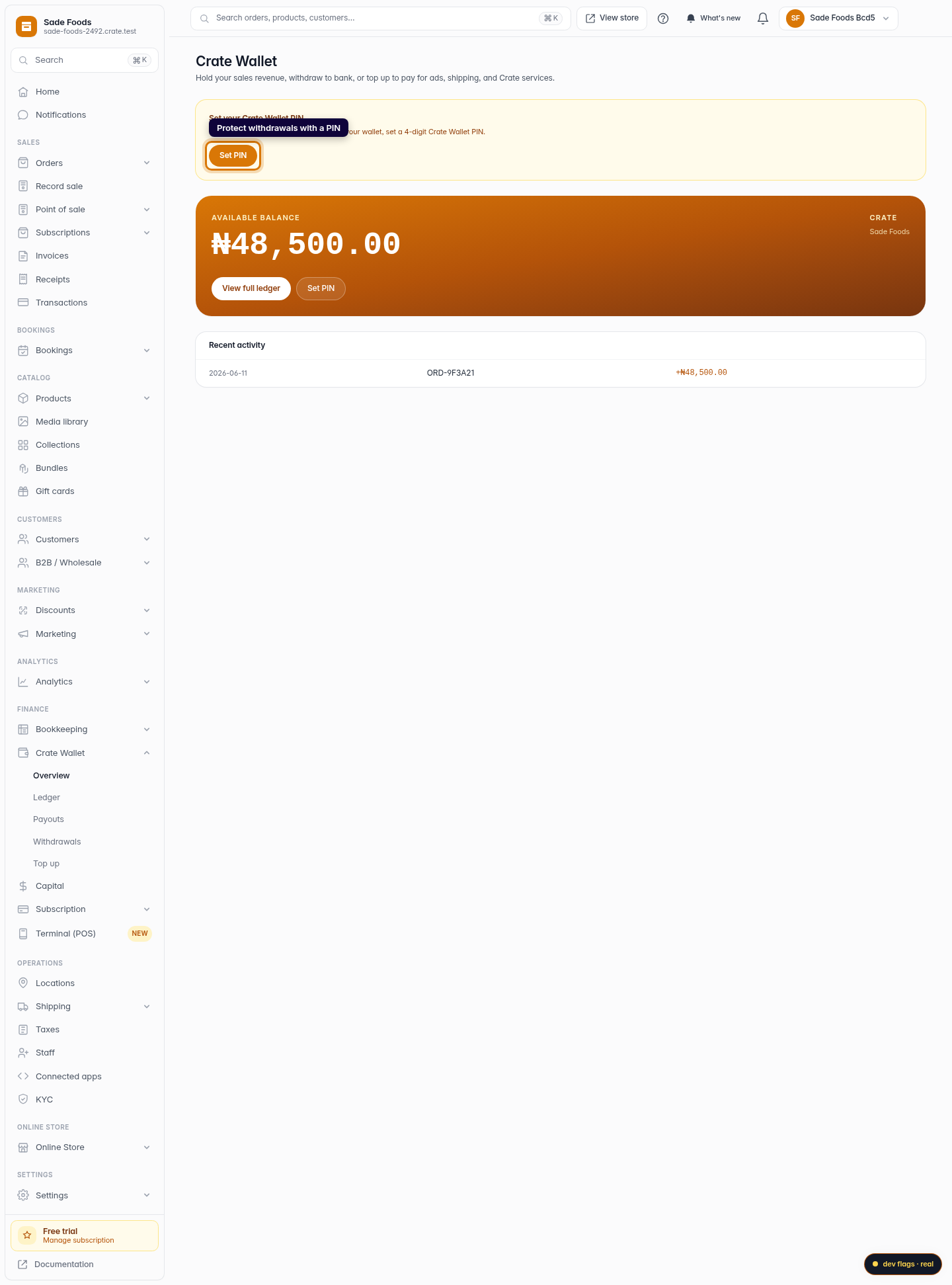
The big number on the wallet card is your available balance — money that has fully settled and is ready to move. As payments settle, they're credited automatically, so the balance keeps pace with your real sales without you lifting a finger.
Reading your activity
Recent activity gives you the last few movements at a glance. For the complete picture — every credit and debit with its reference and timestamp — open View full ledger. The ledger is append-only: entries are never edited or deleted, so it's a reliable record you can reconcile against your bank statement.
Tip: Each entry carries a reference so you can trace a credit back to the order that produced it, or a debit back to the payout that drew it down.
Securing your wallet
Before you can move money out, set a 4-digit Wallet PIN. The PIN is required on every withdrawal, so a stray sign-in can't drain your balance. You can set it the first time from the amber prompt on the wallet card, and change or reset it any time from Reset PIN. See Reset your Wallet PIN for the full reset flow.
-
1
Open your Wallet
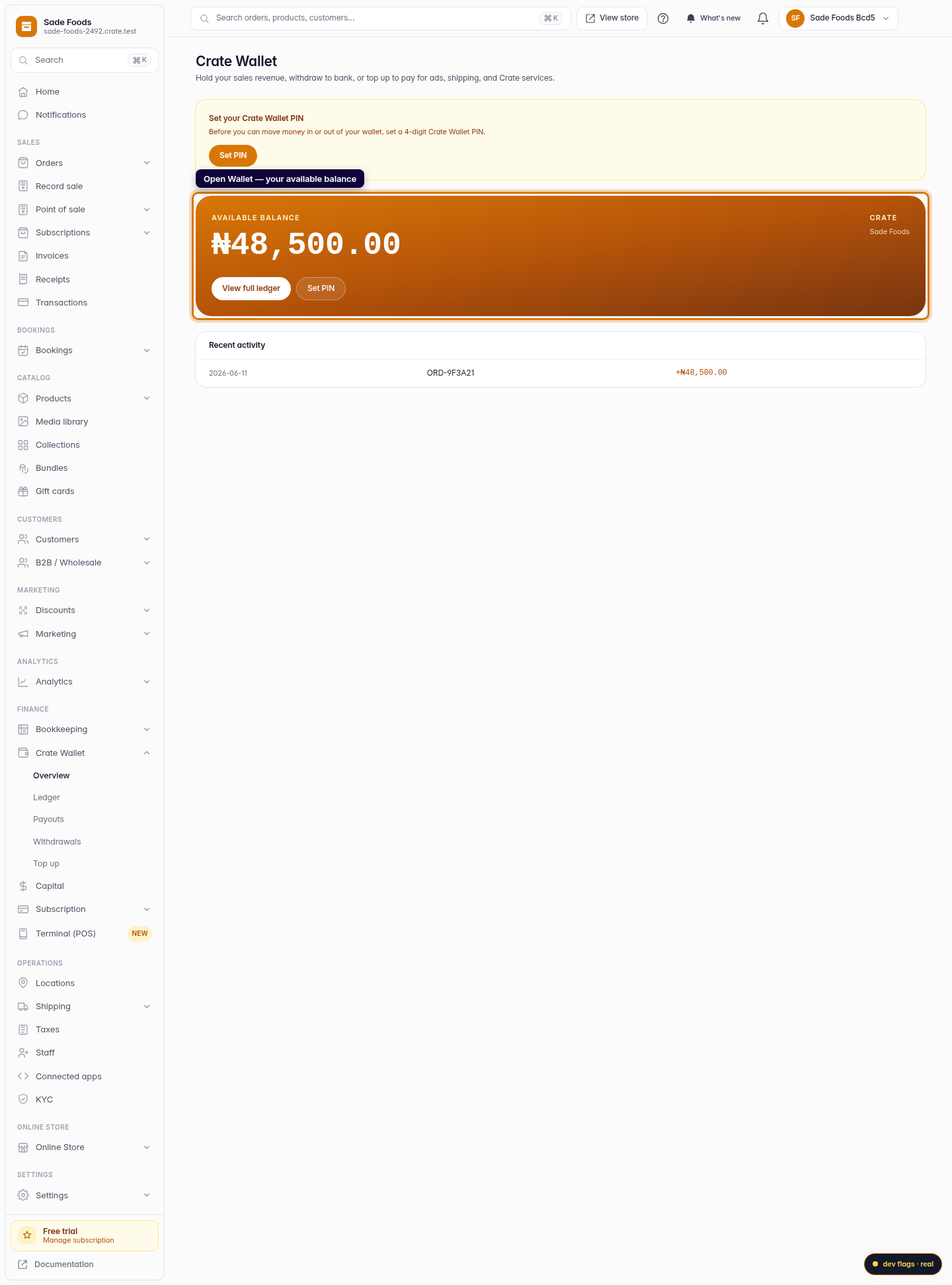
From the dashboard, open Wallet. The card at the top shows your available balance — money from settled online and in-person sales, ready to withdraw or spend on Crate services.
Web 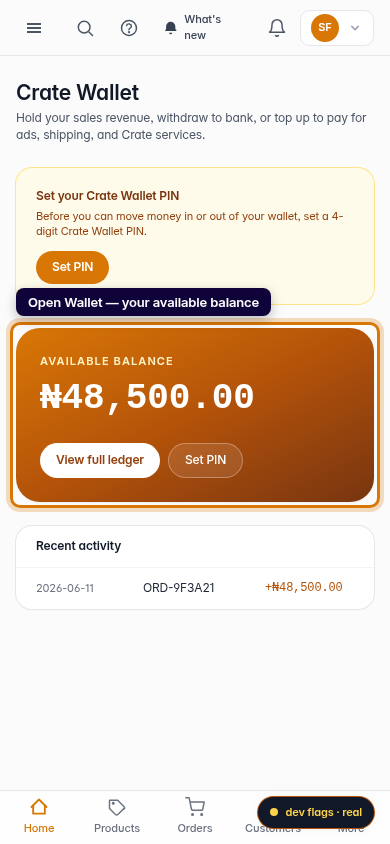
Mobile -
2
Review recent activity
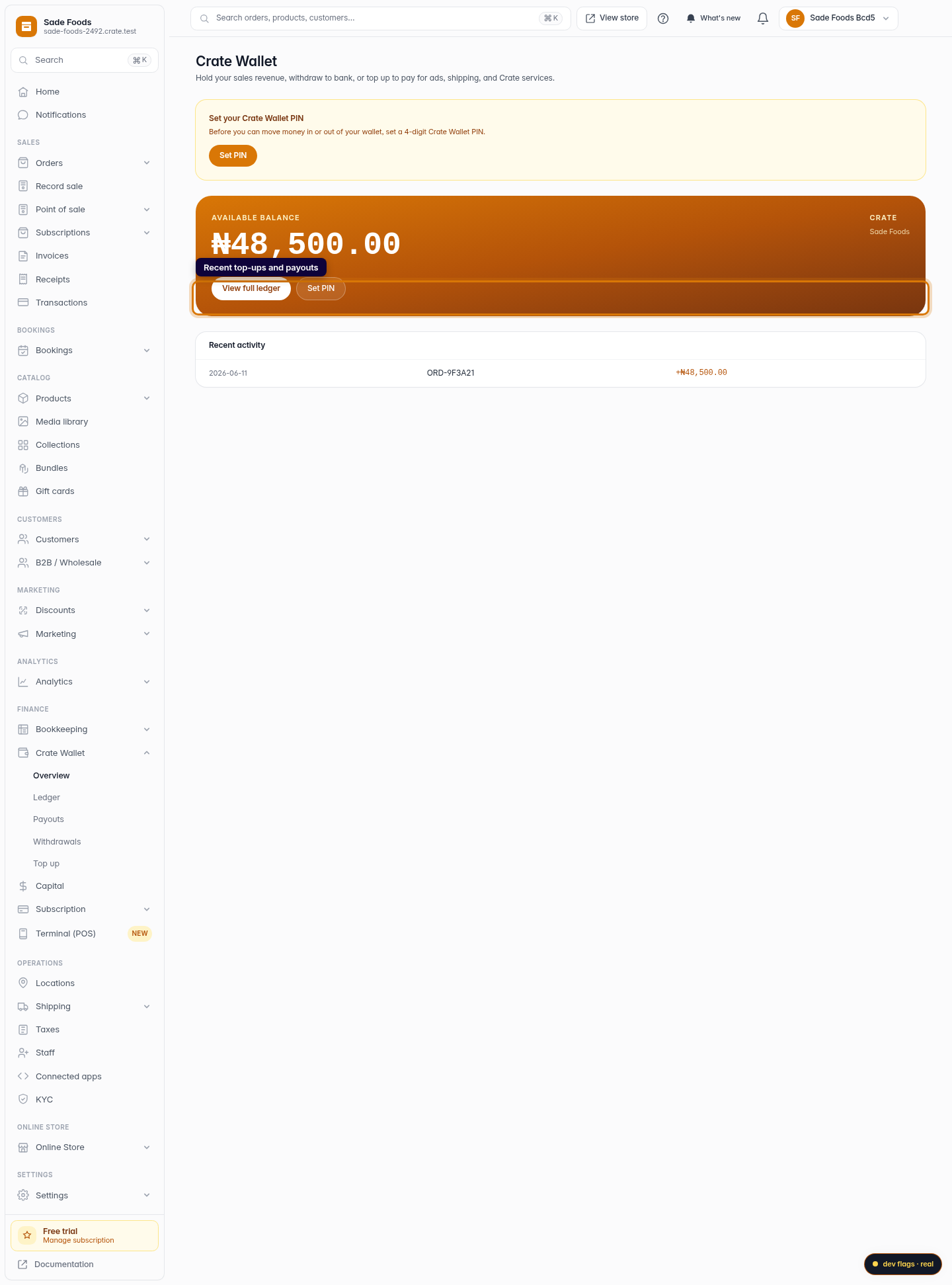
Under the balance card, Recent activity lists your latest top-ups and payouts. Credits show in green with a +, withdrawals in red with a −.
Web -
3
Open the full ledger
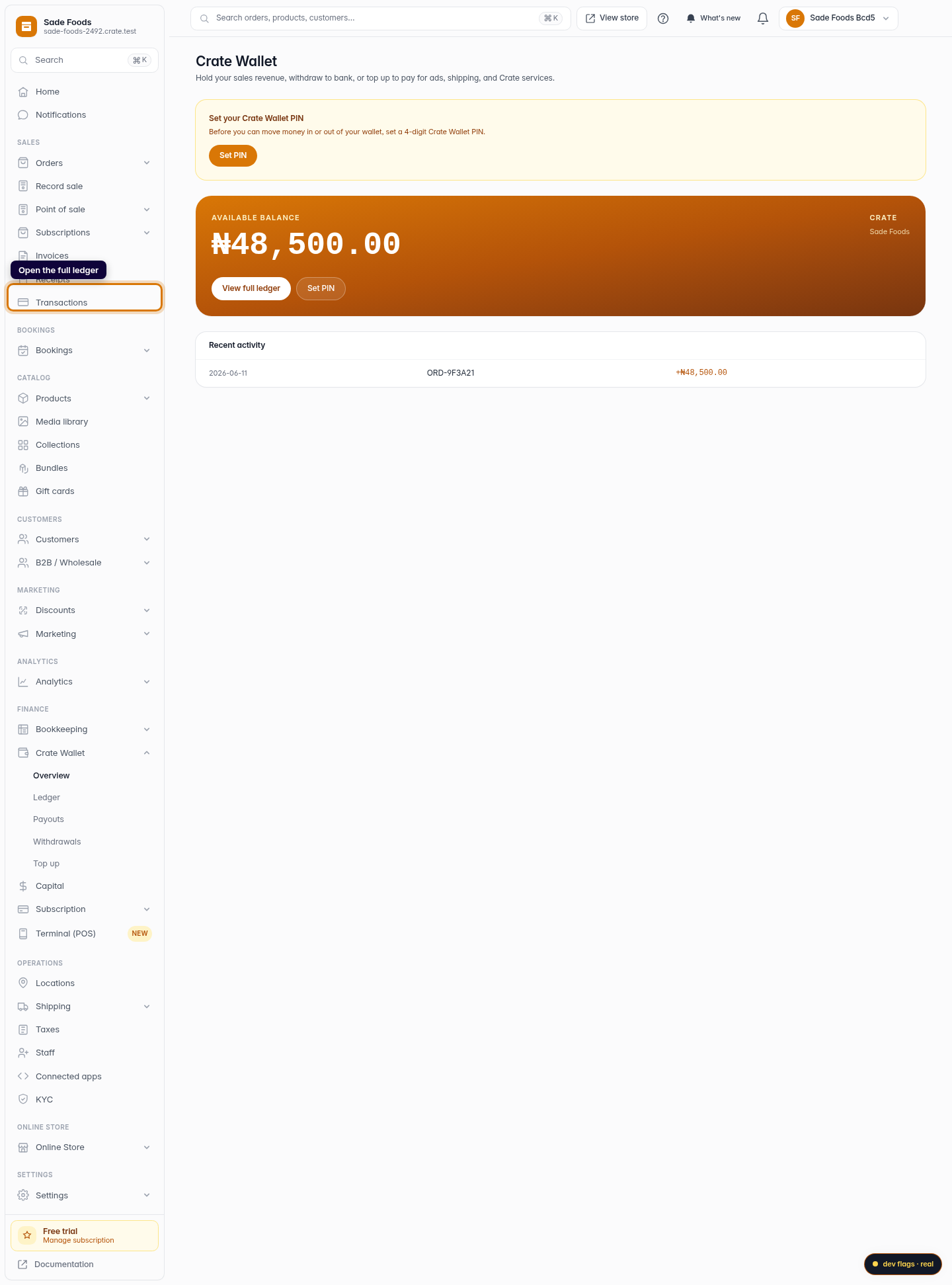
Click View full ledger to see every wallet movement with its date, reference and amount — useful for reconciling against your bank.
Web -
4
Protect withdrawals with a PIN
Click Reset PIN (or Set PIN if you haven't yet) to manage the 4-digit PIN that guards every withdrawal from your wallet.
Web 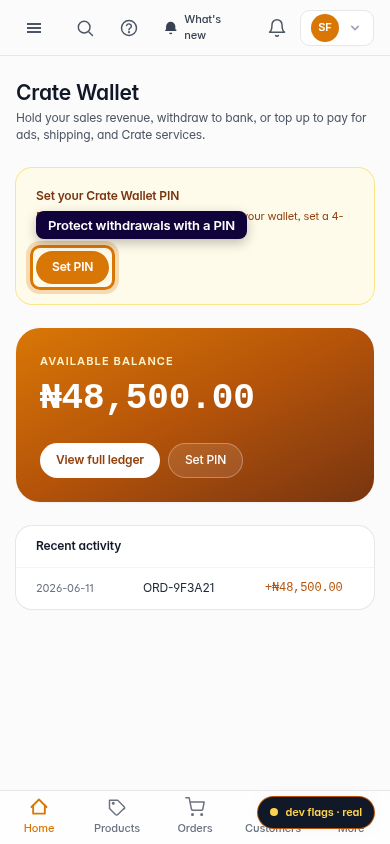
Mobile