Subscribe to Premium
Move off the free trial onto a paid Crate plan. Compare Starter, Pro and Growth, pick a billing period from quarterly to annual, and check out securely — your premium tools switch on the moment payment clears.
Your 14-day free trial gives you the full Crate experience. When it's time to keep going, subscribing to a paid plan takes a couple of minutes — and unlocks the tools that turn a side hustle into a proper store.
What Premium unlocks
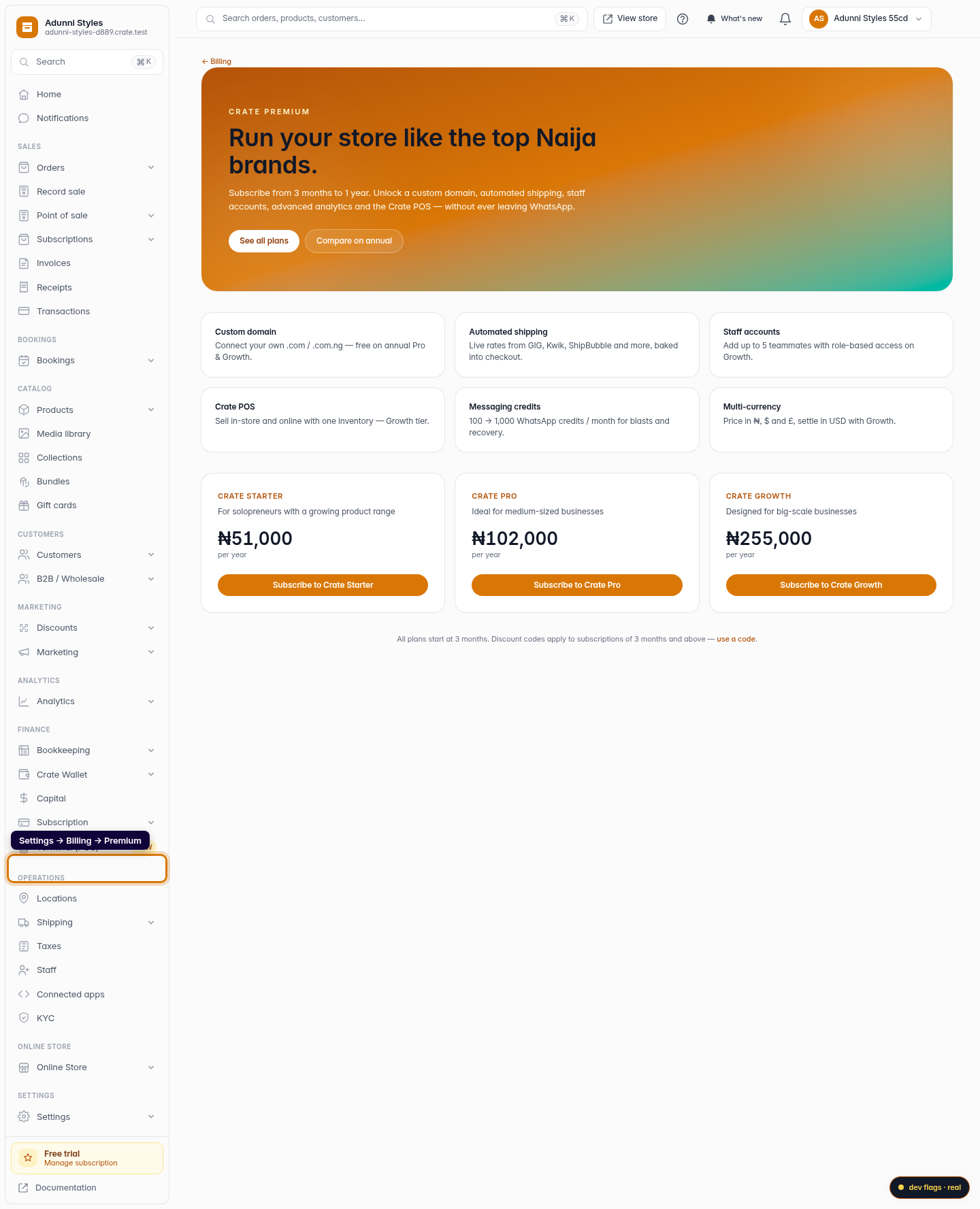
A paid plan is where Crate opens up: a custom domain instead of your free Crate address, automated shipping rates at checkout, staff accounts so teammates can help run the store, advanced analytics, and on higher tiers the Crate POS and multi-currency pricing. The Premium page spells out which plan includes what.
Pick a billing period
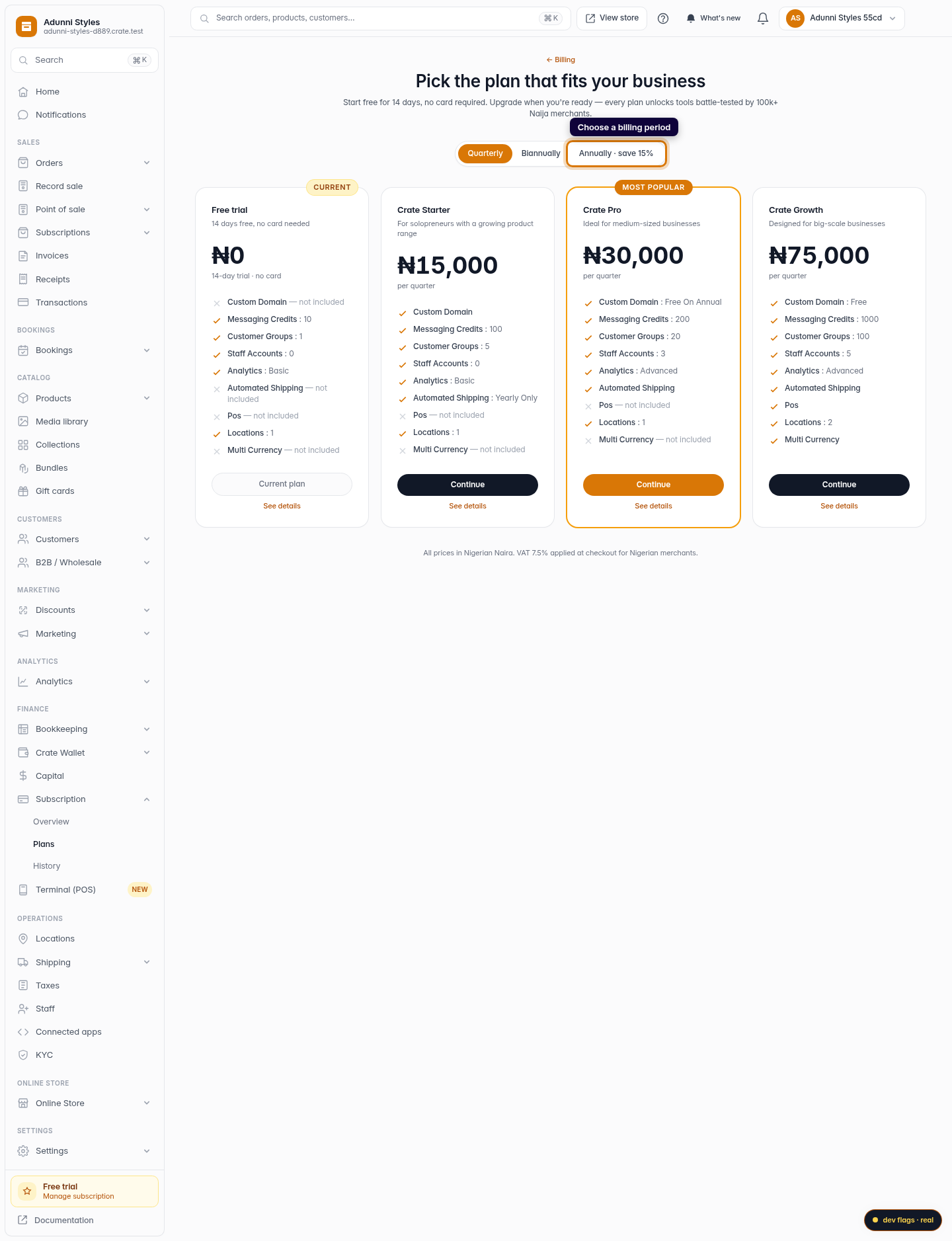
Crate bills in periods, from 3 months up to a full year. The longer the period, the lower your effective monthly cost — annual is the best value and is where perks like a free domain land on Pro and Growth. You're never locked in: you can change plans whenever you like.
Tip: Have a discount code? Apply it on the billing page before you check out — codes work on any subscription of 3 months or more and the saving shows up in your checkout summary.
Paying
Checkout is handled by our secure payment partner, so your card details never touch your store. The summary on the checkout screen shows your subtotal and 7.5% VAT before you commit. As soon as the payment clears, your plan upgrades automatically — no waiting, no support ticket.
-
1
Open Premium
From your dashboard, go to Settings → Billing and open Subscribe to Premium. The page lays out exactly what a paid plan unlocks — custom domain, automated shipping, staff accounts, POS and more.
Web 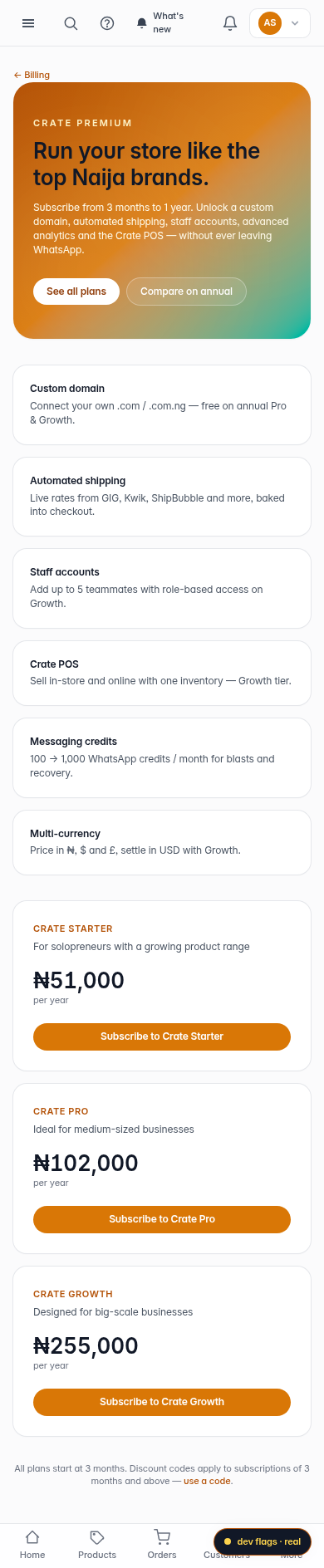
Mobile -
2
Compare the plans
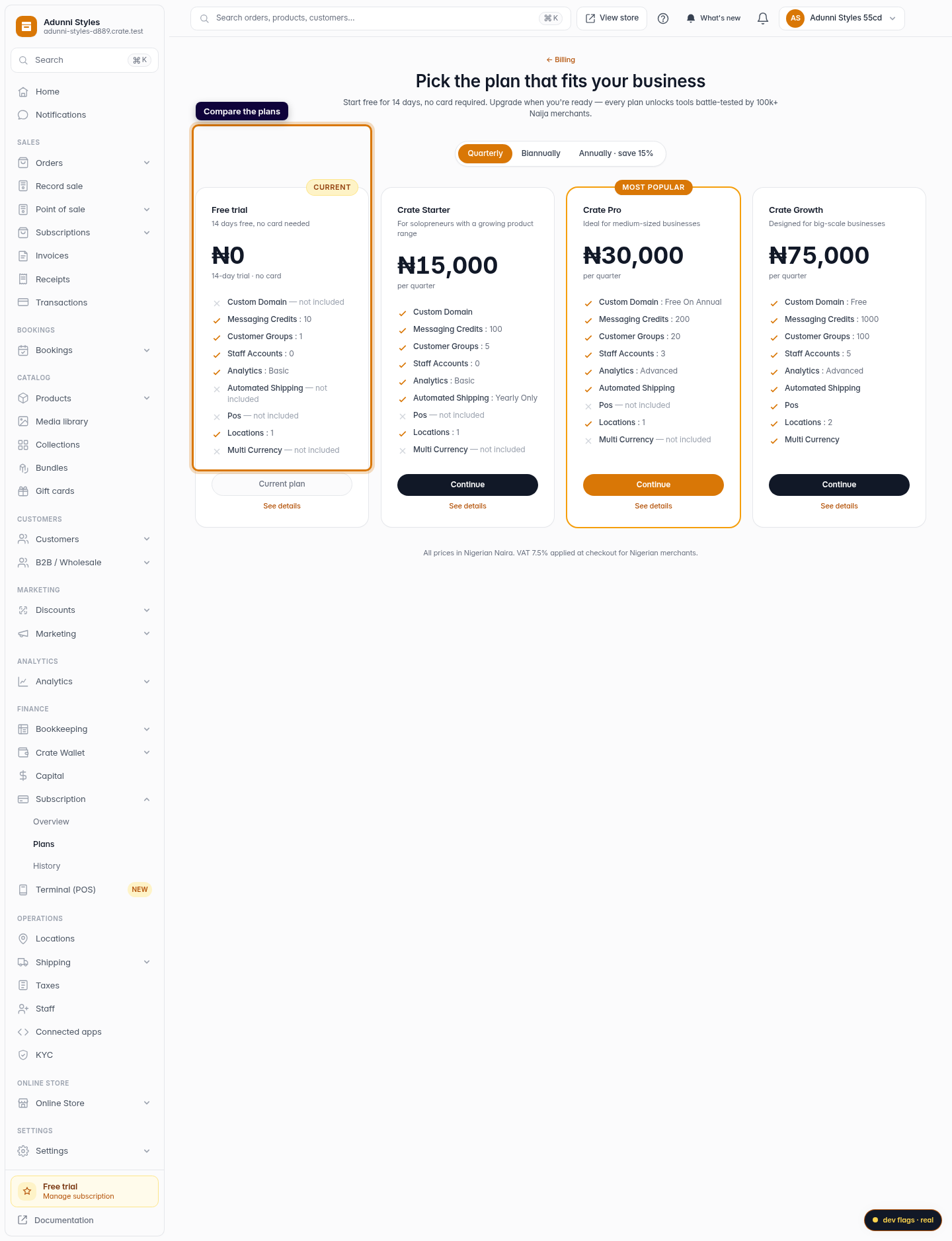
Click See all plans to compare Starter, Pro and Growth side by side. Each card lists what's included so you can match a plan to how you sell.
Web 
Mobile -
3
Choose a billing period
Toggle between Quarterly, Biannually and Annually. Longer periods cost less per month — annual saves the most.
Web -
4
Continue to checkout
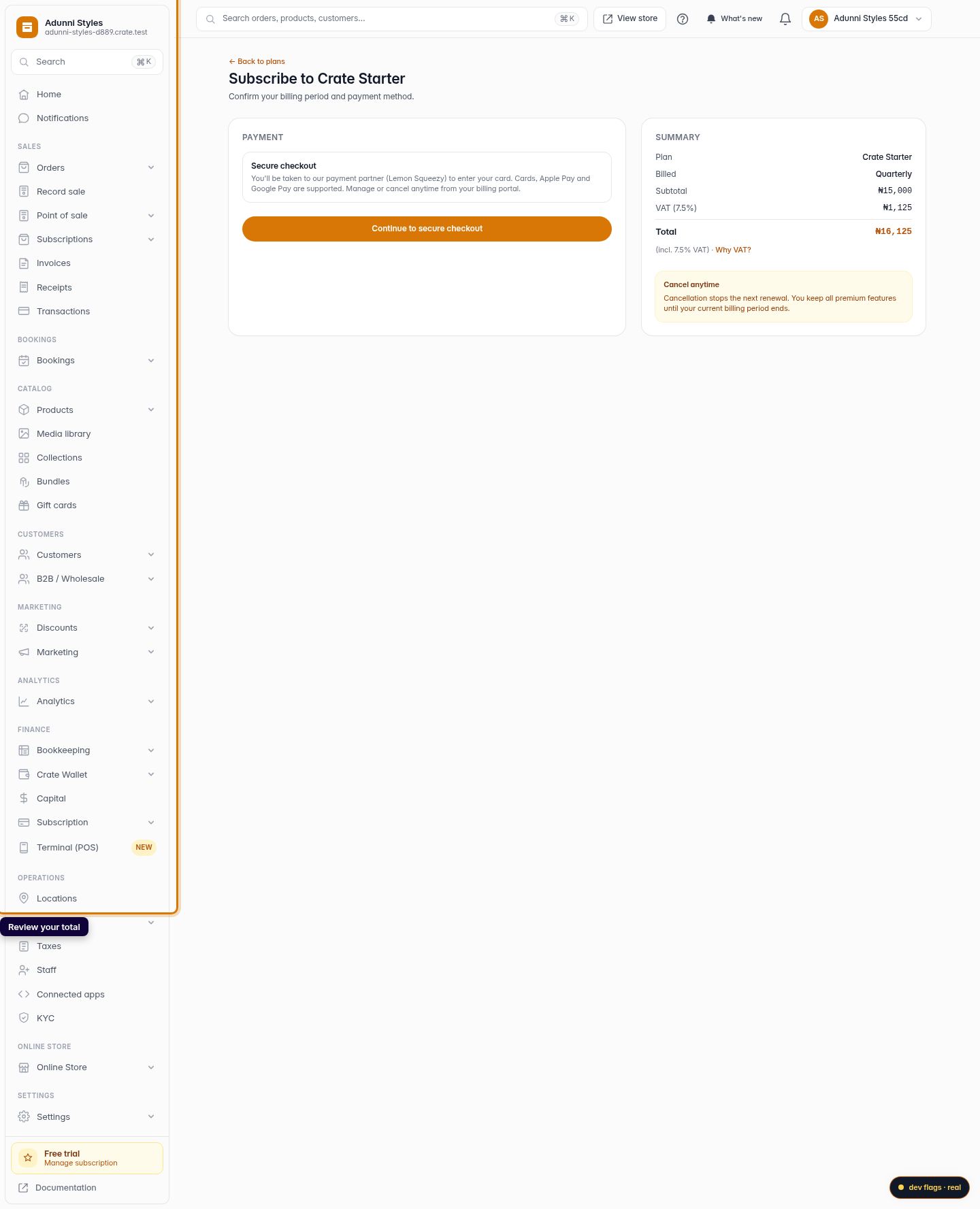
On the plan you want, click Continue. Crate shows a clear summary — plan, period, subtotal and 7.5% VAT — so you know the exact total before you pay.
Web 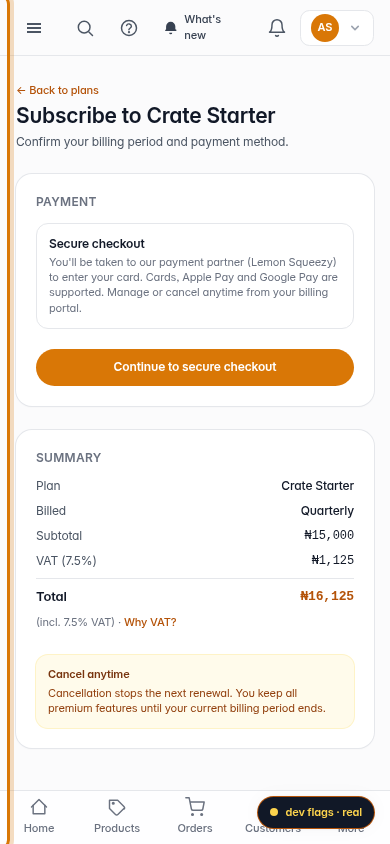
Mobile -
5
Pay securely
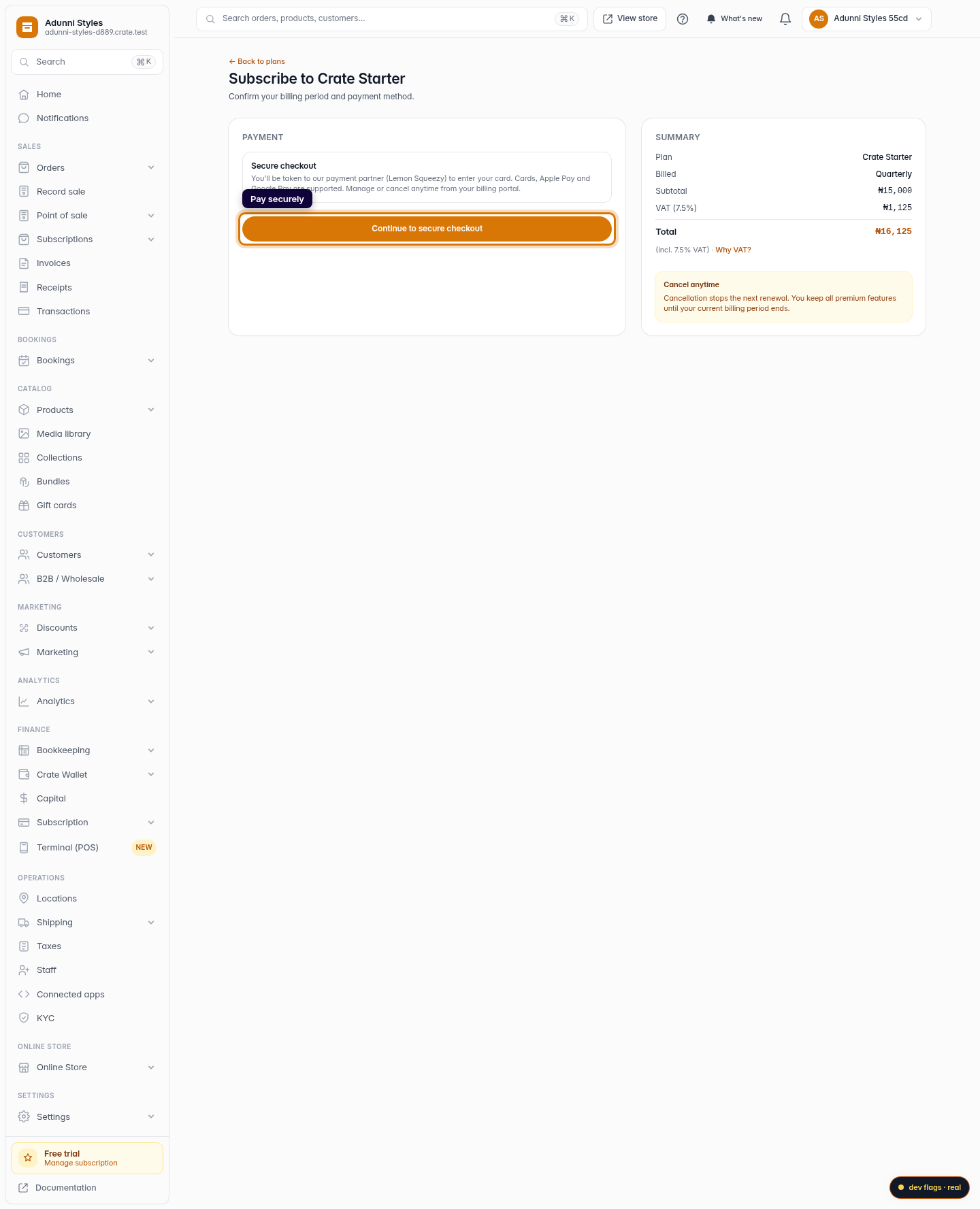
Click Continue to secure checkout to enter your card with our payment partner. Once payment clears, your premium plan switches on right away.
Web